Quick Summary
If you are researching Zakeke pricing, you’re likely trying to understand how it stacks up against other 3D product visualization solutions. Zakeke starts at $68/month but adds transaction fees, product caps, and extra charges for advanced 3D/AR features. This guide breaks down Zakeke costs and shows why Fibbbl offers better value for brands with high-volume catalogs.
Is Zakeke Pricing Worth It? A Detailed Cost Analysis
Zakeke is a popular 2D/3D product customization platform, especially among Shopify merchants seeking affordable monthly plans to boost conversions with AR and 3D configurators.
While the entry price is appealing, scaling brands may face rising costs due to transaction fees, product caps, and paid 3D/AR add-ons. As complexity grows, pricing becomes less predictable. This article examines Zakeke’s real costs and limitations, particularly for scaling footwear and bag brands, and compares them to Fibbl’s flat, 3D-first pricing model designed for long-term, scalable growth.
Why Listen To Us?

Fibbl is a 3D product visualizer for e-commerce. We capture, create, and distribute 3D product assets across every channel for immersive customer experiences. With hands-on experience industrializing 3D for global footwear brands, we understand pricing trade-offs, hidden scalability costs, and when investing in a production-ready alternative delivers stronger long-term ROI.
What Is Zakeke?
Zakeke is a 3D product configurator and visual customizer.
E-commerce merchants use Zakeke to let customers design and view products in 3D, AR, and virtual try-on directly on their online stores. It’s popular among small shops because it’s versatile. It integrates with well-known e-commerce platforms like Shopify and WooCommerce and offers both 2D and 3D customization tools.
However, the real question for many brands is how much it actually costs, especially when you scale up.
A Close Look At Zakeke Pricing Plans and Structure

Zakeke pricing is tiered based on the number of products you want to publish to your store using its visual configurator or 3D viewer.
Here is an overview of Zakeke pricing plans, breaking down what each plan offers:
Starter
The Starter plan costs $68/month and has the following features:
- 2D/3D optimizer
- Virtual try-on
- Publish up to 5 products
- Print-ready files in PDF, PNG, SVG, and DXF formats.
- 5GB storage
- Customer support via email
This plan is ideal for startups, small teams, and anyone starting with 3D personalization. Note that on the Starter plan, all products carry the “Powered by Zakeke” tag.
Next up is the Grow plan.
Grow
The Grow plan costs $170/month and gives you these features:
- 2D/3D optimizer and virtual try-on
- Publish up to 25 products
- Dynamic pricing rules
- Bulk variation forms
- CMYK & Pantone color support
- 10GB storage
- Remove “Powered by Zakeke” branding
Grow is perfect for growing small businesses and retailers with rising order volumes.
Scale
The Scale plan is $340/month and includes all Grow features plus:
- Publish up to 50 products
- Dynamic product properties
- Pricing rules for configurations
- Design multiple areas
- Custom environment texture
- 25GB storage
This plan allows users more flexibility to create complex 3D products.
Let’s unpack the Zakeke pricing plans in detail.
Common Zakeke Pricing Issues and Limitations
On paper, these prices seem affordable and straightforward, especially for small shops starting with visual customization.
But if you dig deeper, you’ll realize there are several limitations and hidden costs that many brands discover only after signing up.
1. Transaction Fees Add Up Quickly
Unlike flat-rate SaaS tools, Zakeke takes a percentage of every configurator-driven sale. Fees increase in direct proportion to your checkout volume and average order value. At between 1.5–1.9% per sale, depending on your plan, costs can climb quickly across multiple shoe lines.

Plus, you must pay $4.90 per month for every additional team member you want to collaborate with. For higher-value products like footwear or bags, these fees can quickly surpass the base subscription cost, especially for high volumes.
2. Product Caps Increase Costs for Growing Catalogs
A big drawback is that each paid plan caps the number of products you can publish with Zakeke.
The Scale plan peaks at only 50 products.

If you exceed your plan’s limit, you must upgrade to the next plan to accommodate more published products. That’s bad news for stores with large catalogs. If you have, say, 300+ SKUs for footwear seasons, that becomes costly very fast, and you won’t be able to keep up.
For anything beyond 50 products, you must contact the sales team for a custom quote.
3. Pay extra for 3D and AR
Another significant disadvantage of Zakeke’s prices is that you must pay an extra $29.90/month to access professional-level 3D and AR features.

Zakeke’s pricing covers access to the configurator and viewer, not 3D/AR features. While Zakeke offers an AI 3D Model Creator to turn 2D images into 3D models, this is a quote-based add-on rather than a standard feature of a basic plan.
In contrast, most competitors include this feature in their regular pricing. You don’t have to pay extra for it.
4. Feature trade-offs at lower tiers.
While the Starter and Grow plans offer a 3D configurator, they come with restrictions:
- Lower product caps (5 and 25 on the Starter and Grow plans, respectively).
- The “Powered by Zakeke” tag isn’t removable unless you’re on higher plans.
- Advanced pricing rules and dynamic configurator features are limited/unavailable at lower price points.
Brands often end up upgrading to remove the Zakeke branding or increase published limits.
While branding is not a direct cost, it can be a brand‑experience trade‑off for premium retailers that want full control over their branding. Merchants who care deeply about a fully on‑brand experience must upgrade to the Grow or Scale plans to access white-label features.
In brief, Zakeke’s pricing complexity can hurt your brand’s ROI.
Beyond subscription, transaction, and model-creation fees, additional fees and overage fees often apply. This makes forecasting ecommerce costs harder, especially during seasonal sales spikes.
Zakeke Pricing Pros
Zakeke pricing isn’t all doom and gloom.
Despite a few limitations, Zakeke’s prices make sense for specific use cases:
- Lower entry cost for small stores beginning with 3D/AR
- Simple setup and strong Shopify/WooCommerce integration
- Virtual try-on and configurator in one place
- No upfront 3D modeling included, reducing initial spend
This is why many smaller online shop owners adopt Zakeke as their first configurator tool. It’s simply because it saves them money and is easy to use. Some fledgling businesses don’t mind sacrificing their branding as long as they are pushing their products.
But if you need more control, higher fidelity, and enterprise-grade features, Zakeke pricing becomes less competitive.
Why Fibbl Often Offers Better Value
Now let’s look closer at Fibbl, one of the leading Zakeke alternatives for brands that want more than a basic configurator.
Fibbl Pricing Structure
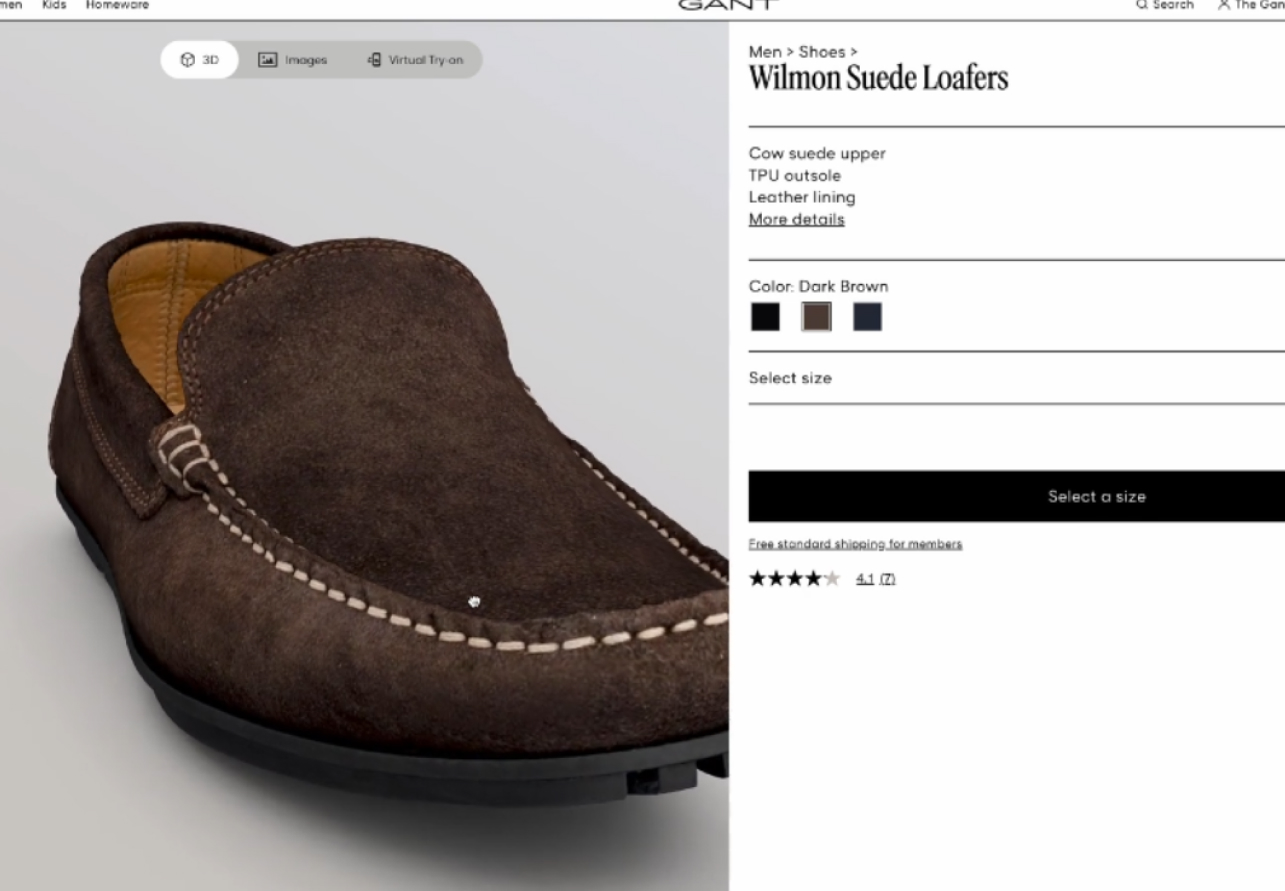
Brands using Fibbl’s 3D-first product experiences have reduced return rates by up to 29% and achieved measurable conversion lifts.
For footwear and bag brands scaling hundreds or thousands of SKUs, predictable, flat pricing matters more than low entry cost.
Fibbl’s pricing is more enterprise-oriented, with monthly packages that typically start much higher than Zakeke, but include production, delivery, and distribution of unlimited, high-quality 3D assets:

Fibbl has three competitive plans for scaling footwear and bag brands:
- Scale: ~€999/month (approx. $1,100 USD)
- Excel: ~€1,399/month (approx. $1,540 USD)
- Enterprise: Custom pricing with advanced support and workflows
Beyond base monthly fees, Fibbl’s pricing includes the production and distribution of 3D assets. Fibbl also supports advanced features such as AR, virtual try-on, AI-generated creative assets, and more.
Key Value Differences
Here’s why many mid-sized to large brands with extensive shoe or bag catalogs find Fibbl more cost-effective in the long run compared to Zakeke:
1. No Transaction Fees
Fibbl’s pricing is subscription-based.
It does not tack on a percentage of every sale, making it predictable and scalable for bigger catalogs.
2. 3D Asset Creation Is Included
Unlike Zakeke, Fibbl includes high-quality 3D asset creation and distribution.
Plus, the platform provides ongoing support for the post-production pipeline. This support removes a high hidden cost in Zakeke pricing.
3. Industrial-Scale Catalog Handling
Fibbl is optimized to process thousands of SKUs consistently season after season.
This capability makes it far more suitable for footwear and bag brands with fast-growing or large catalogs.
4. Unified 3D, AR, and Creative Content
Zakeke’s pricing gives you a configurator, but Fibbl’s pricing gives you:
- Photorealistic 3D
- AR experiences
- AI-generated product images
- Dynamic video feeds
- Multi-touchpoint distribution
These bundled deliverables often replace costly photography and media production teams.
5. Higher Conversions and Lower Returns
Case data shows that 3D visuals that better represent texture, material depth, and dimensions work better than standard configurators.
3D visuals reduce returns and increase conversion rates, which matters for high-value products like footwear and bags
Zakeke vs Fibbl: Pricing Value Comparison
Fibbl’s higher starting price may feel steep for tiny shops with limited budgets. But that’s because Fibbl is designed for forward-thinking growing brands that treat 3D as a strategic growth engine, not just a storefront gimmick.
Let’s wrap up the discussion with a visual comparing Zakeke’s pricing to Fibbl’s.
| Feature / Category | Zakeke Pricing | Fibbl Pricing | Verdict |
| Entry Cost | Low (~$68/month) | High (~€999/month) | Zakeke wins on entry price |
| Transaction Fees | Yes (~1.5–1.9%) | No fees | Fibbl wins for scalability |
| 3D Asset Creation | Not included | Included | Fibbl wins |
| Published Product Limits | Caps per plan (50 max on the Scale plan) | Unlimited | Fibbl wins |
| AR/Virtual Try-On | Included but basic | Included and high fidelity | Fibbl wins |
| Advanced Visual Fidelity | Moderate | High photorealism | Fibbl wins |
| Scalability for 1000+ SKUs | Harder/expensive | Built for it | Fibbl wins |
| Predictable Monthly Cost | Lower base + fees | Higher flat | Fibbl wins |
When to Choose Fibbl over Zakeke
Zakeke works well for small-scale merchants who need a product customizer and virtual try-on for a small number of SKUs. However, brands building extensive, photorealistic 3D catalogs for use across ecommerce, marketing, and B2B channels often find Fibbl the stronger long-term choice.
For footwear and bag brands, Fibbl’s category-specific pipeline enables faster time-to-market with consistent, photorealistic results across channels. Its per-asset pricing also delivers predictable costs at scale. This predictability avoids the margin erosion that transaction-based fees create as volumes grow.
Zakeke Pricing: The Verdict Is In
In short, paying for Zakeke gives you a product configurator to customize your products.
But investing in Fibbl gives you a customized, optimized end-to-end 3D asset that powers your entire pipeline at more predictable pricing for large enterprises. If you are a mid-to-large footwear brand with hundreds of SKUs, Fibbl delivers a better ROI than the competition.Sign up for a free trial today ot talk to our team to see the possibilities of 3D-first product marketing.