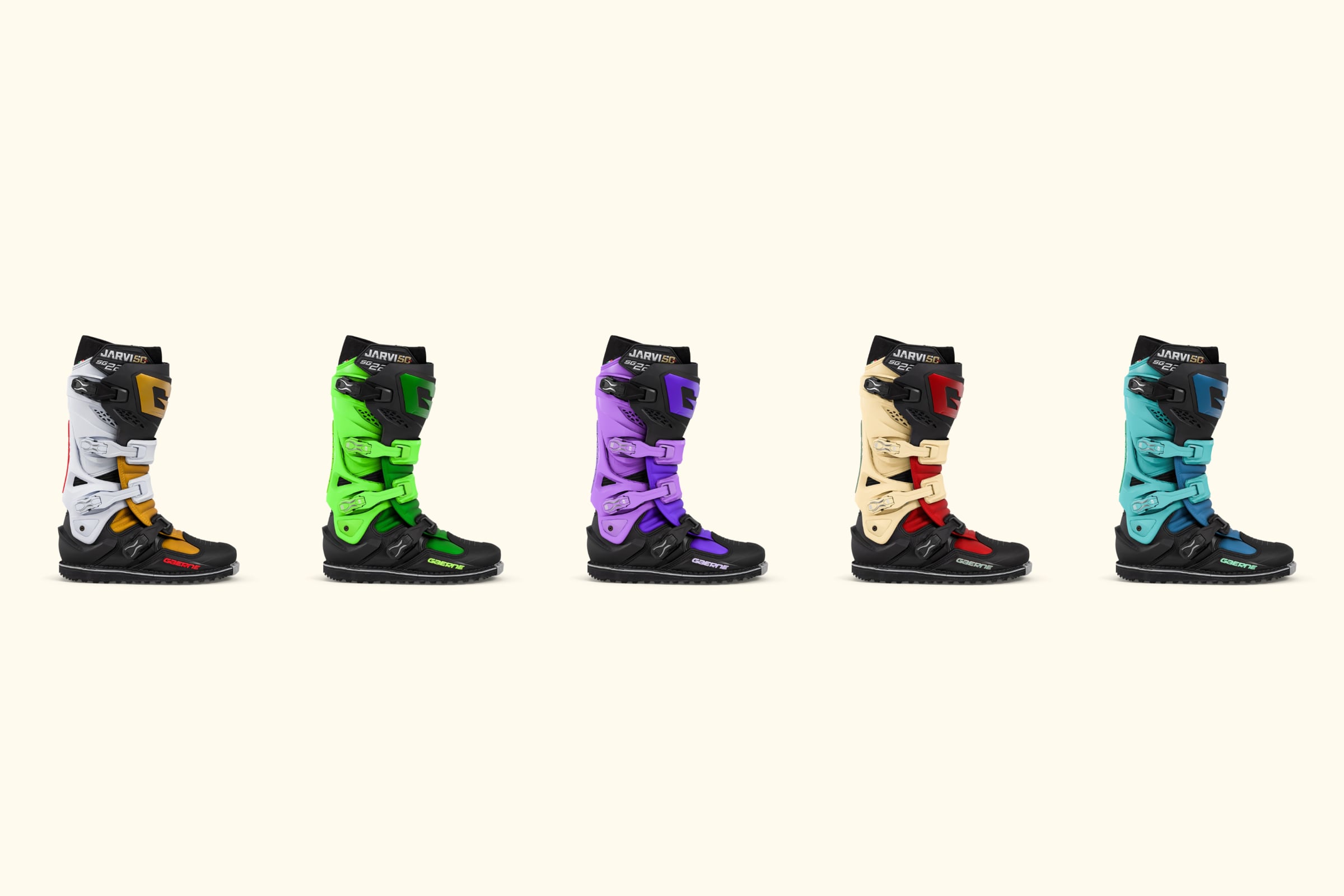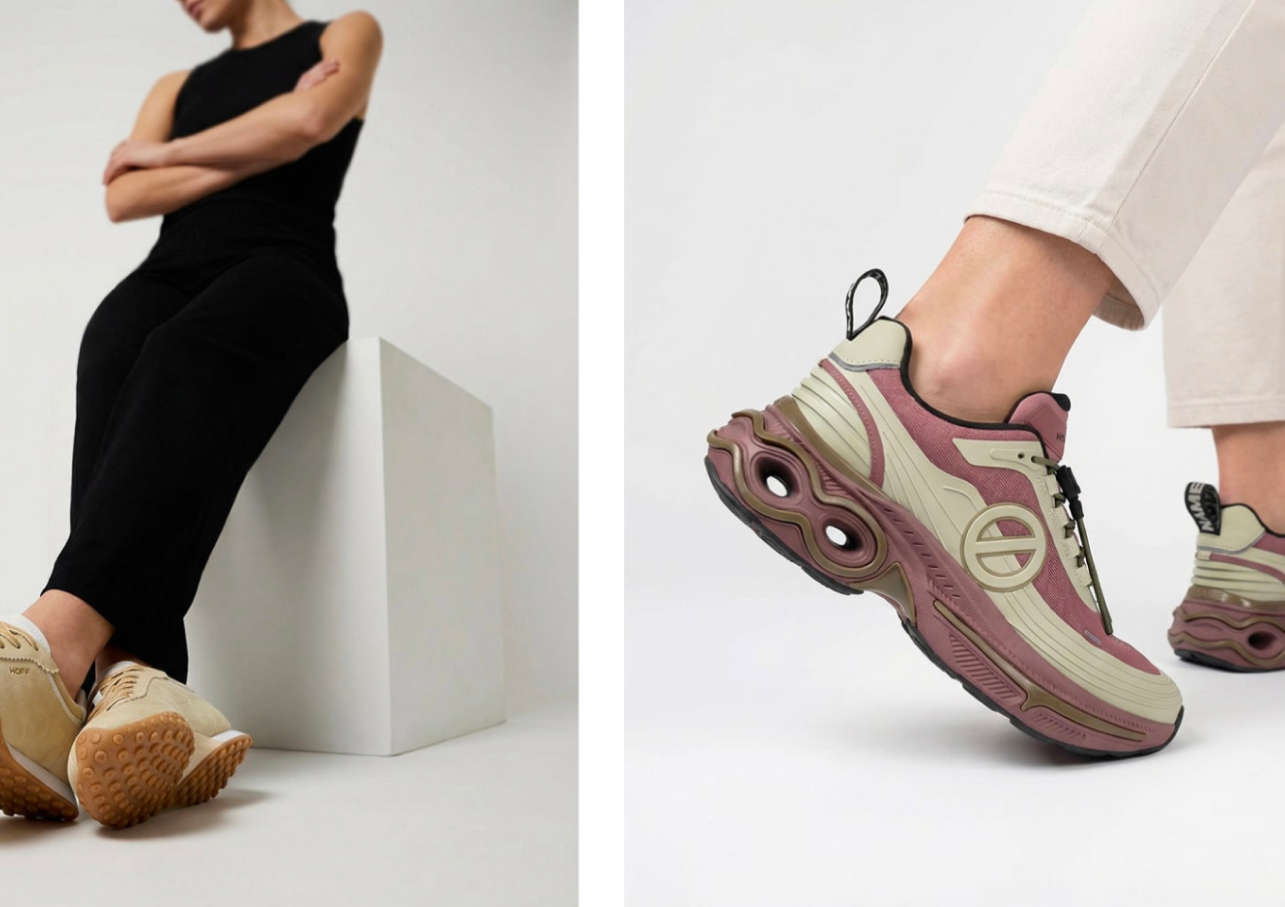
Quick Summary
AI product photography with models lets e-commerce brands show their products on lifestyle models without a photoshoot. You start with an accurate product image or 3D asset, then generate on-model shots in different settings and on different people for every channel. It cuts costs, speeds up campaigns, and simplifies localization.
Why Brands Are Turning to AI for On-Model Product Photography
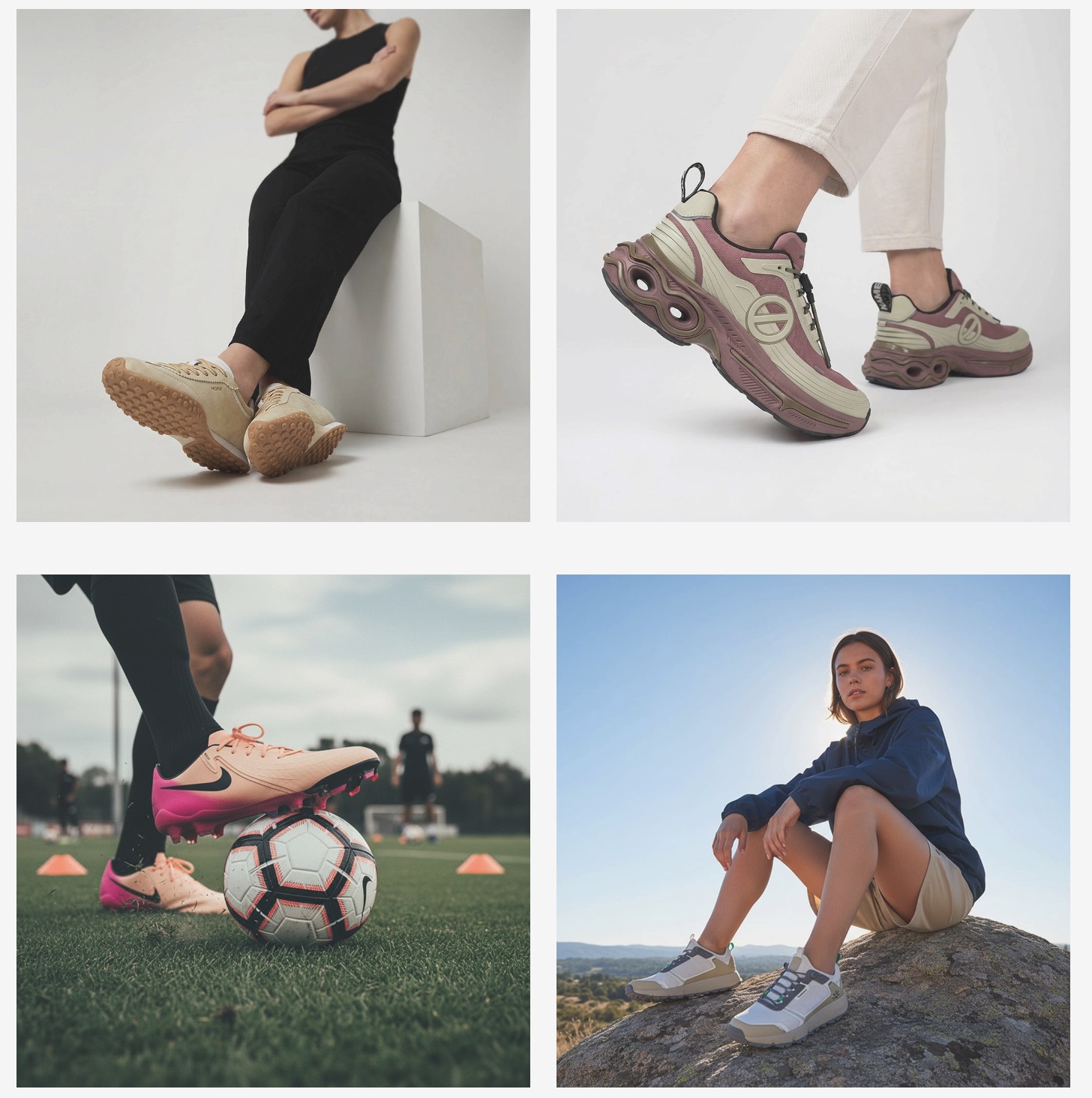
Model photography has always been expensive. You book models, a photographer, a studio, and a stylist. You ship samples. You shoot, edit, and wait. For an e-commerce brand launching a new season, that is weeks of work and a big bill, repeated every drop.
AI is changing how this gets done. Brands can now place their products on lifestyle models without a single shoot. The model, setting, and pose are generated, and the product remains real. Fibbl’s AI lifestyle imagery builds these shots from an accurate 3D asset, so what used to take weeks now takes hours.
Two things are driving the shift: cost and speed. Traditional shoots are slow to produce and slower to redo. A campaign that needs ten looks, five markets, and three social formats becomes a logistics problem. AI turns it into a settings choice.
This guide walks through on-model AI product photography from start to finish. What it is, how it works, the benefits, the challenges, and how to run a campaign without the usual mistakes. The principles apply to any e-commerce brand. You’ll see footwear examples throughout because shoes are some of the hardest products to shoot well, making them one of the biggest winners here.
What Is On-Model AI Product Photography?
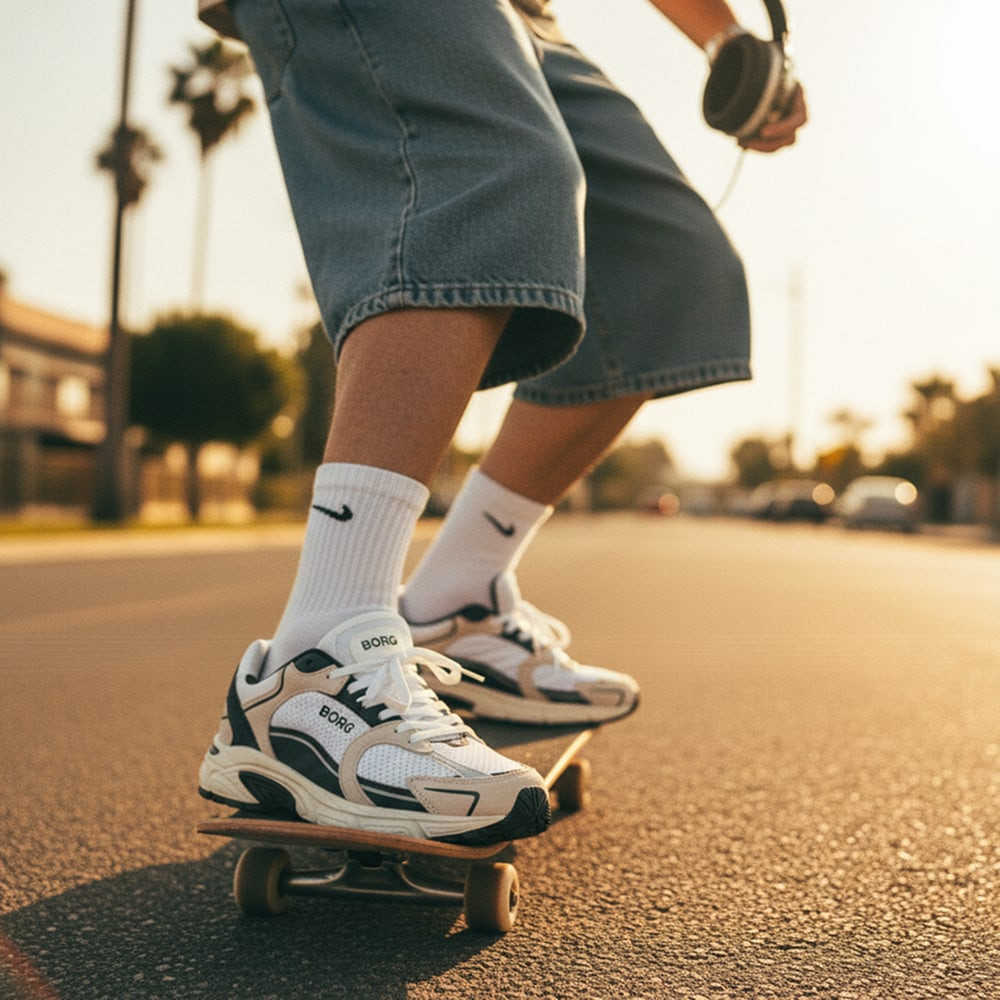
On-model AI product photography shows your product on a human model, without a photoshoot. You supply the product. AI handles the rest: the model, the pose, the setting, and the lighting.
Say you sell a new running shoe. You want it on a runner, out on a real street. Not floating on a white background. That used to need a model, a photographer, and a studio day. Now you describe the scene, and the image comes back the same afternoon.
The important part is what stays real. Your product keeps its true shape, materials, and colorways. Everything around it is generated. The person, the pose, the backdrop. That split is the whole idea.
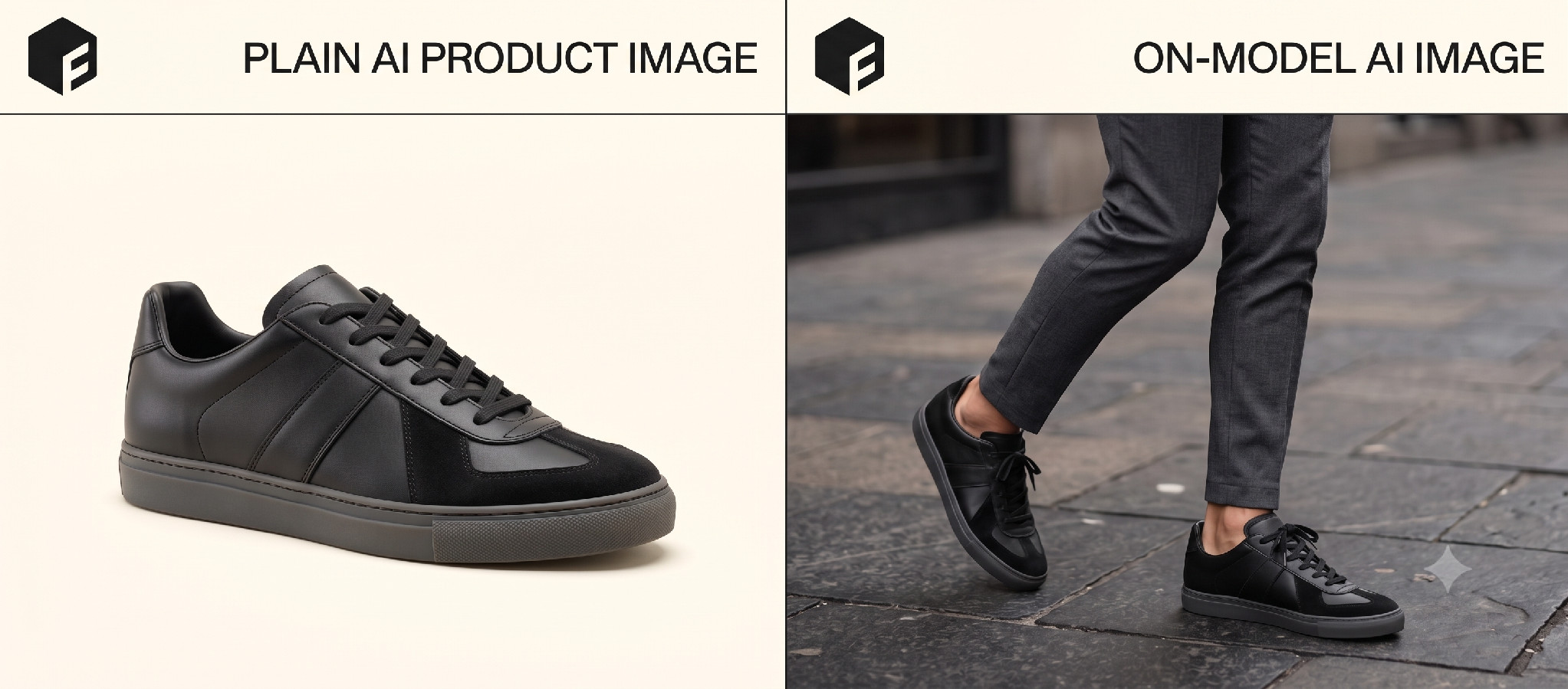
People lump two things together, so it helps to separate them. Plain AI product images drop your product into a scene with no one in it. On-model photography puts a real person in the frame, wearing or holding the product. This guide is about the second one.
Brands make these images in two ways, and the gap between them is wide. The quick route feeds a product photo into an AI tool, which builds a model from it. It is fast, but the product often drifts from reality.
The accurate route is different. It starts from an exact 3D model of your shoe. Then it places that on the AI model. This takes more setup, but the product stays true. Accuracy is what makes or breaks a campaign, as the section on 3D assets shows.
What Are the Benefits of AI Model Photography?
The pull is simple. You get more content, for less money, in less time. Here is where that shows up:
- Lower cost: No model fees, studio rental, travel, or crew for every shoot.
- Faster launches: Campaign images ready in hours, not weeks.
- More variations: New looks, angles, and scenes without a reshoot.
- Inclusive casting: Show your product on different ages, body types, and skin tones.
- Easy localization: Swap the model and setting to fit each market.
- Full-channel scale: One setup feeds PDPs, social, email, and ads.
- Fewer samples: You stop shipping physical pairs to every shoot.
Add these up, and the model changes. Content stops being a bottleneck. You brief once, then generate what each channel needs. For footwear brands running many drops a year, that shift is the point. Traditional footwear shoots can run $5,000 to $15,000 each (see Fibbl’s footwear photography cost breakdown).
When Does AI Model Photography Pay Off Most?
On-model AI is not equally useful for every product. Two things decide how much you gain. The first is how hard it is to judge a product from a flat photo. Shoppers hesitate when they cannot picture an item in real life. On-model images close that gap, which lifts conversion and cuts returns.
The effect is strongest for products people assess by fit, feel, or scale. Apparel, footwear, bags, and furniture all fit here. Footwear is the sharpest case. Materials like suede and mesh are hard to show. Though on-model imagery helps shoppers understand not just what the product looks like but also how it is meant to be worn.
That clarity can have a direct impact on the customer experience. Zach Footwear cut returns by 29.4% after moving to 3D-first product experiences. The brand noted that customers could better see the shoes in detail and understand the product before buying
The second gain depends on how much content you produce. One collection can create hundreds of image needs. They span PDPs, social, email, ads, and marketplaces. Traditional shooting cannot keep pace at a sane cost. AI can. You generate every format from one asset, then do it again next season.
When both are true, on-model AI earns its place. High stakes on accuracy, high volume of content. That is why complex, catalog-heavy categories adopt it first.
How Do You Run an AI Model Photography Campaign?
A good campaign follows a clear order. Skip a step and quality slips. Here is the workflow that holds up at scale:
- Set the goal and channels: Decide what the campaign is for and where it runs. A PDP hero and a TikTok ad need different framing.
- Prepare accurate product assets: This is the foundation. Build an exact asset of each shoe, ideally a 3D model, so the product stays true.
- Choose the right provider: Match the tool to your needs. Some handle single images. Others scale to full catalogs.
- Set the specs: Define the model, pose, setting, lighting, and output formats. Write them down so the look stays consistent.
- Generate: Produce images in batches. Start small, confirm the look, then scale the run.
- Review: Check every image for product accuracy and natural posing. Reject anything that distorts the shoe.
- Publish and distribute: Push approved images to each channel. One asset library feeds them all.
Best Practices for On-Model AI Campaigns
A few habits separate a clean on-model AI campaign from a messy one. Here they are:
Start with the goal, not the tool
A conversion campaign for product pages needs clean, accurate shots. A social push can take bolder, styled scenes. Match the effort to where each image will run.
Generate in small batches
Once the goal is clear, produce a small batch first. Check the look, fix the specs, then run the full set. Batching saves credits and catches problems early. It also gives your team a checkpoint before hundreds of images pile up.
Nail the product asset first
Step two is where footwear campaigns are won or lost. A flat product photo gives the AI too little to work with. It guesses at the sole, the texture, and the logo. An accurate 3D scan gives it the real shoe. The model then wears your actual product, not a lookalike.
Treat your specs like a shot list
Treat the specs like a shot list. Note the model type, pose, camera angle, background, and lighting. Add your export sizes for each channel. A written spec keeps fifty images looking like one campaign, not fifty guesses.
Review every image before it ships
Review is not optional, even at speed. Zoom into each shoe and check the details first. Look at the laces, the stitching, the branding, and the sole. If the product is wrong, cut the image. One bad shot on a product page costs more than the time you saved.
Test a provider on your hardest shoe
When you pick a provider, test it on your hardest shoe. A reflective boot or a knit runner exposes a weak tool fast. Most teams run all this with two or three people. Your first campaign takes a few days. Once the pipeline is set up, subsequent runs take hours.
Build a reusable asset library
One habit pays off over time. Keep all approved images and their specs in a single library. Next season, you reuse the setup instead of starting from scratch. Your campaigns get faster and more consistent with each drop.
What Are the Challenges of AI Model Photography?
The technology for AI model photography is powerful, but it is not hands-off. These are the problems to plan for:
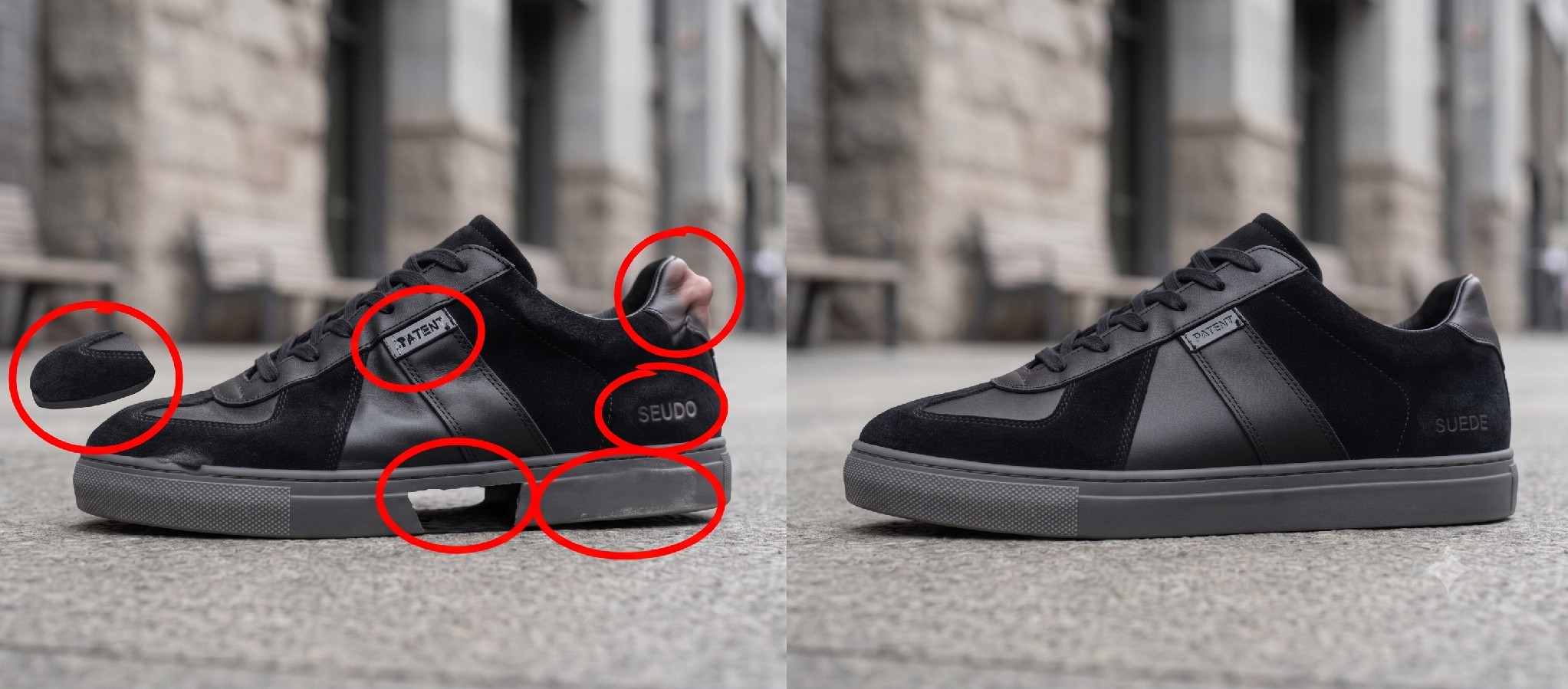
- Distortion and hallucination: AI can warp a logo, add an eyelet, or bend a sole. Small errors, big trust cost.
- Unnatural poses: Models sometimes stand in ways real people do not, which reads as fake.
- Consistency: Holding the same look across a large batch is hard without fixed specs.
- Quality control: At scale, every image still needs a human check before it ships.
- Rights and platform rules: Usage rights for AI models vary, and some platforms limit or label AI imagery.
None of these is a dealbreaker. Each has a fix, and most trace back to one root. When the product asset is accurate, and your specs are tight, the tool has less room to go wrong. The weaker your inputs, the more these problems show up.
Mistakes to Avoid When Running an AI Model Photography Campaign
Most bad AI campaigns fail for avoidable reasons. Watch for these:
- Starting from a weak product asset: A blurry photo means the wrong product comes out.
- Skipping the review step: Batch generation tempts teams to publish without checking.
- Chasing volume over accuracy: A thousand images are worthless if the shoe is the wrong one.
- Letting the brand drift: Models and scenes that wander off-brand confuse shoppers.
- Hiding the AI: Many shoppers expect disclosure, and getting caught costs trust.
- Treating it as one-and-done: Your specs and asset library need upkeep across seasons.
The theme runs through all of them. Teams rush to output, skipping the groundwork. Slow down at the start, and the finished images look effortless.
What to Decide Before You Produce?
Make these decisions before you start generating. They shape every image that follows, so getting them right up front saves you reshoots and rework later.
Audience and representation
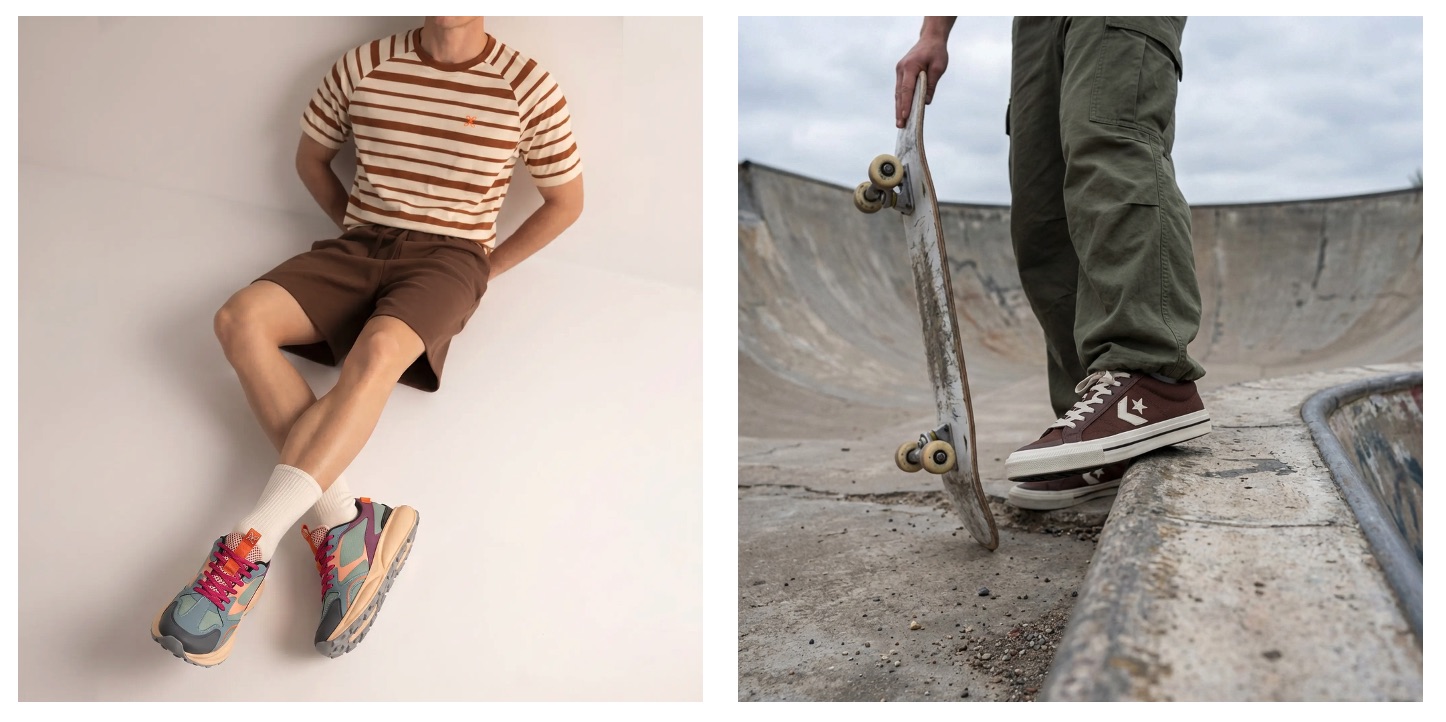
Decide who the campaign speaks to. AI lets you show your footwear on a real range of people, across ages, body types, and skin tones. Use that to reflect your actual customers, not one default look.
Regional relevance
A campaign for Germany and one for Japan should not look identical. Match the model, styling, and setting to each market. This is where AI localization earns its keep.
Product accuracy
Set the bar before you generate. Every image must show the shoe in its entirety, down to the material and stitching. Make accuracy pass-or-fail, not a nice-to-have.
Brand consistency
Write down your look. Lighting, tone, framing, and model style should feel like one brand across every image and channel.
Realism
Decide how photoreal you want to go. Some brands want images no one can tell are AI. Others lean into a stylized look. Pick on purpose.
Channel plan
Know every format you need up front. PDP, social, email, paid, and retail each have their own specs. Plan them before the first render.
AI responsibility
Decide your stance on disclosure and rights. Be clear about where AI is used, and keep your models’ usage rights clean.
Which AI Model Photography Platforms and Services Should You Know?
The market is filling up fast. Most tools generate a model and a scene. The real difference is how well they hold your actual product.
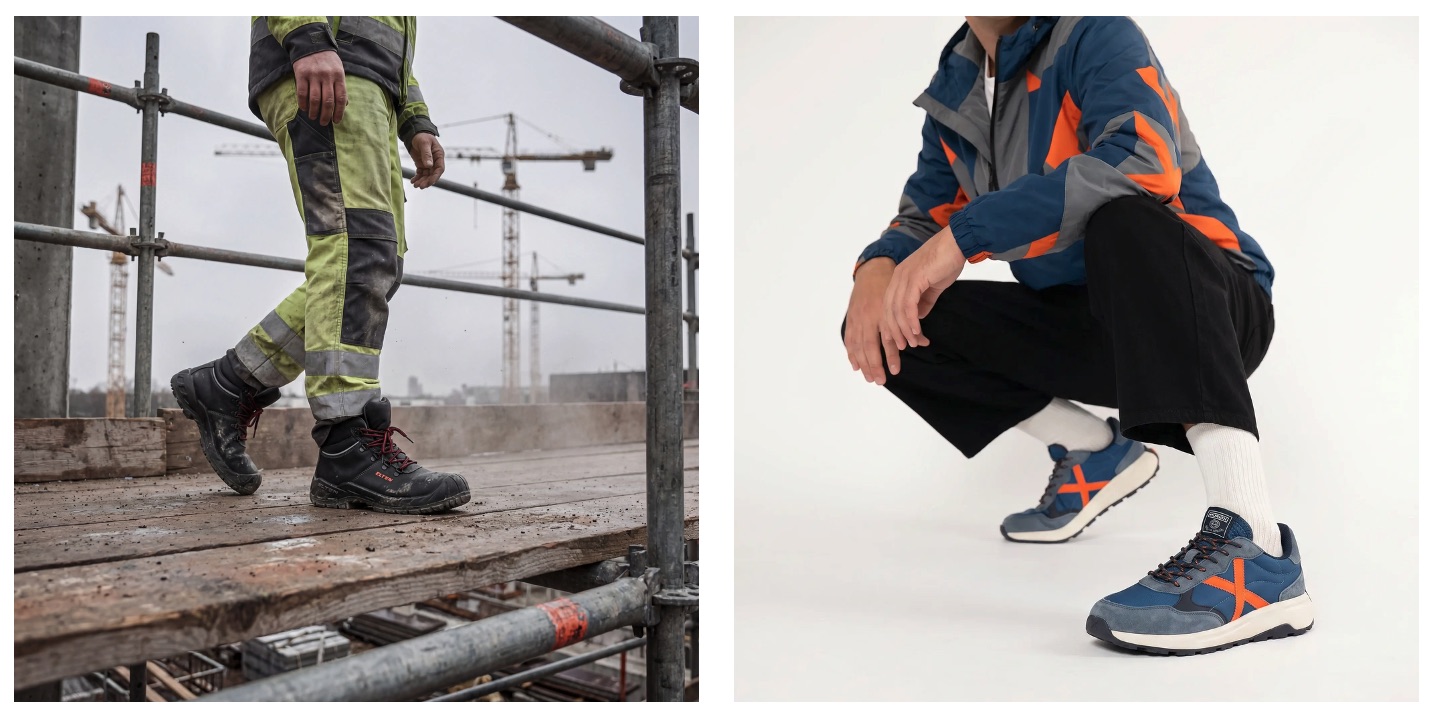
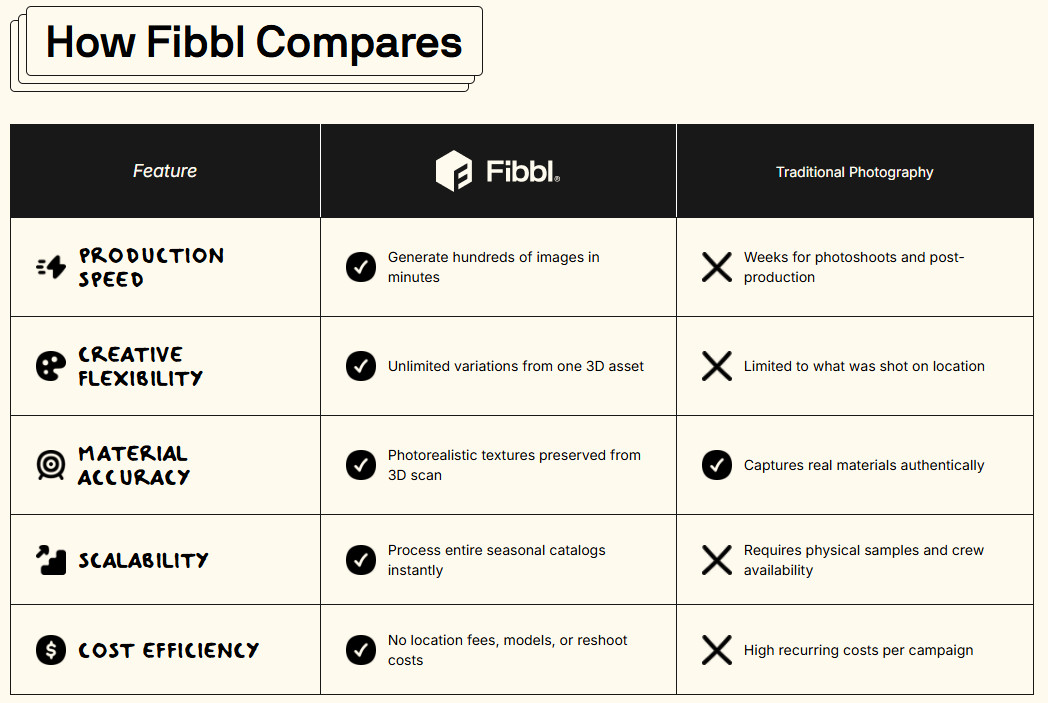
Fibbl is the option built for footwear. It creates on-model and lifestyle images from an accurate 3D scan of your shoe. The product stays true across every image, colorway, and scene. As the asset is a real 3D twin, it scales to a full catalog. Not just a few hero shots. For footwear and bag brands, that accuracy is the whole point.
Other tools in the space:
- Botika: Generates on-model images from flat-lay or mannequin photos. Available as a Shopify app.
- VModel.ai: Creates AI models from mannequin or product photos. Offers a browser extension and API.
- ZMO.ai: Generates AI models and backgrounds, with batch processing and video.
- Lalaland: AI fashion models for apparel, now part of Browzwear.
- Photoroom: General AI product photography app with backgrounds and model features.
Features change fast, so test each on your own products. For footwear, judge them on how accurately each tool holds your actual shoe.
Source: https://fibbl.com/product-content/ai-images/
Why Are Accurate 3D Assets Critical for AI Model Photography?
Every point in this guide circles back to one thing. The image is only as good as the product inside it. A great model wearing the wrong shoe is a failed image, and often a returned order.
Prompt-only tools guess at your product. They invent details, drift between shots, and struggle with the exact materials footwear depends on. That guesswork is fine for a mood board. It is not fine for a product page, where accuracy drives the sale.
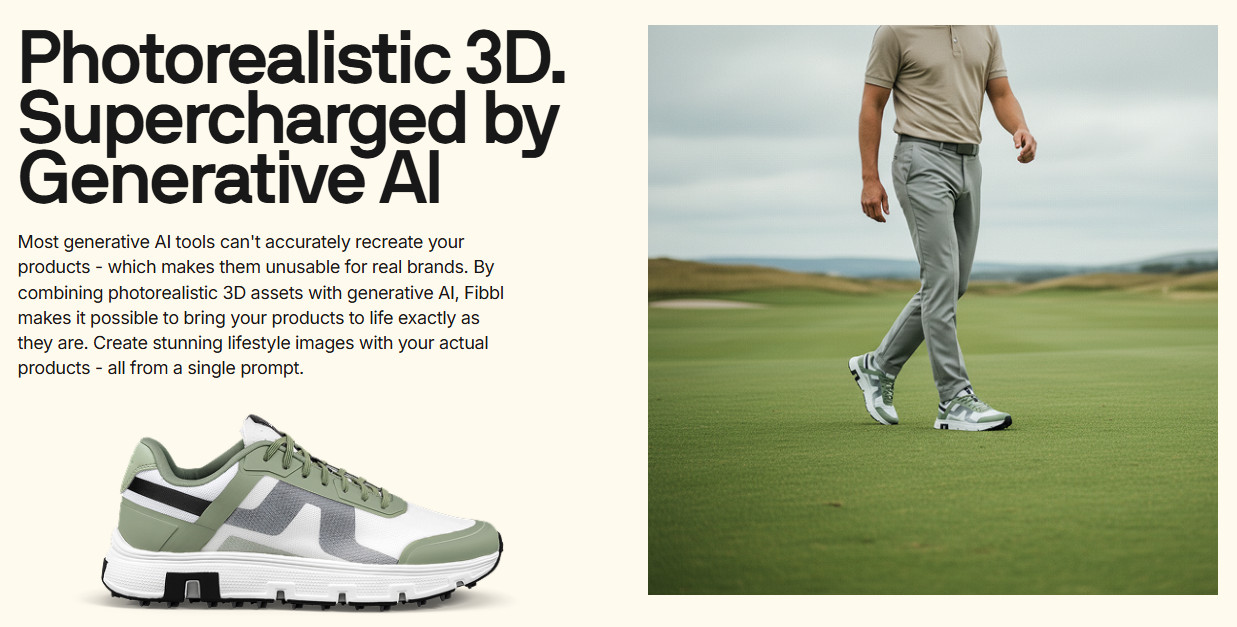
An accurate 3D asset removes the guesswork. It captures your real shoe with true geometry, color, and texture. Place that on an AI model, and the product stays correct in every frame, colorway, and scene.
This is where Fibbl fits. It builds 3D for footwear and bag brands, using its own capture hardware and a pipeline tuned for shoe materials, like leather, suede, and mesh. From a single accurate asset, you generate on-model lifestyle images, packshots, and video, all featuring the same true product.
The proof is in the numbers. GANT ran 3D-first product experiences and lifted conversion 6.3% across 13 markets. It then produced 392 video assets from 196 SKUs for its ad campaigns. The content scaled because the asset was accurate first.
If AI model photography is the engine, accurate 3D is the fuel. Get the asset right, and every image your campaign needs will follow.
Where Does This Leave You?
AI model photography has moved from experiment to tool. You can put your footwear on lifestyle models, in any setting, for any market, without a photoshoot. The cost and speed gains are real, and the quality is finally there.
But the technology is only half the story. The brands winning with it are not the ones with the cleverest prompts. They are the ones who start with an accurate product asset and hold a high bar for accuracy. That is what separates a campaign that sells from one that gets returned.
For footwear, the case is strongest. Hard materials, deep catalogs, and endless content needs are exactly what this approach solves. Get the foundation right, and every PDP, ad, and social post will follow from a single asset.
If footwear is your category, that accurate foundation is what Fibbl focuses on. Start with a single scan. Your first AI model campaign then has something real to build on.
The best way to judge it is on your own shoes. See what an accurate 3D asset makes possible, then build your first on-model campaign on top of it. Get a free product scan or book a demo to start.