Quick Summary
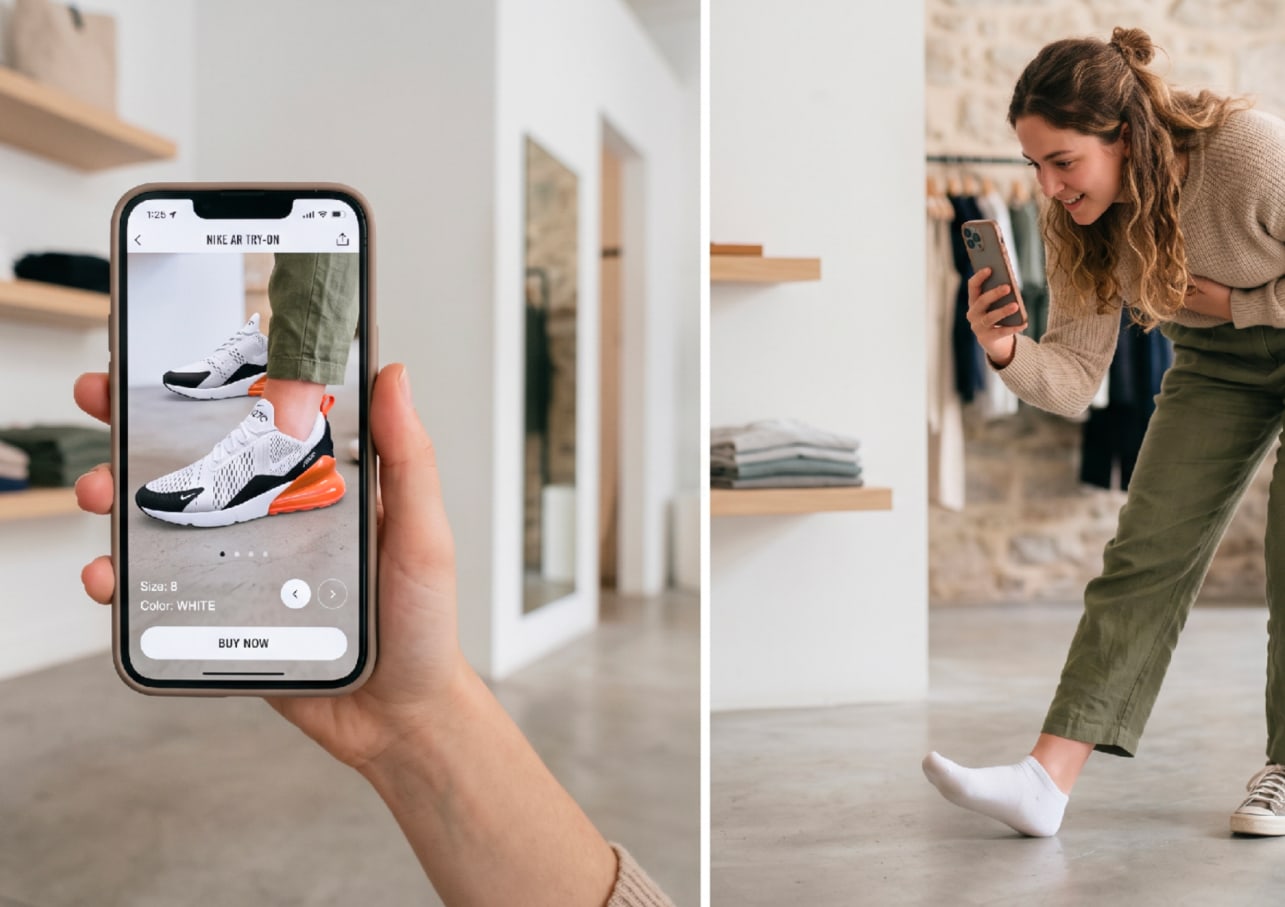
AR shoe try-on lets shoppers see a shoe on their own foot through a phone camera. Done right, it lifts conversion and cuts returns. Done wrong, it loads slowly and tracks poorly. This guide covers the technology, the ROI, and how to implement it well.
Why AR Shoe Try-On Is Becoming a Core E-Commerce Capability
AR shoe try-on has grown up. A few years ago it was a gimmick. Now it is a real e-commerce capability that shoppers expect. They want to see a shoe on their own foot before they buy.
But adding it is not as simple as dropping in a widget. Good AR try-on needs accurate 3D assets, solid tracking, and fast loading. Weak versions load slowly, track poorly, and get ignored. Fibbl's AR try-on shows what the polished version looks like.
This guide is written for two teams. Engineering leaders who have to build or buy it, and growth leaders who have to justify it. One half is technical. The other is commercial. Both matter.
Skip either half and the project stalls. A brilliant build with no adoption plan gathers dust, while a great campaign on a laggy try-on frustrates shoppers. The teams that win treat it as one project, not two.
You will learn how AR shoe try-on works, what it takes to implement, how to measure the payoff, and the mistakes to avoid. By the end, you can evaluate a vendor and plan a rollout with confidence.
What is the AR Shoe Try-On Tech?
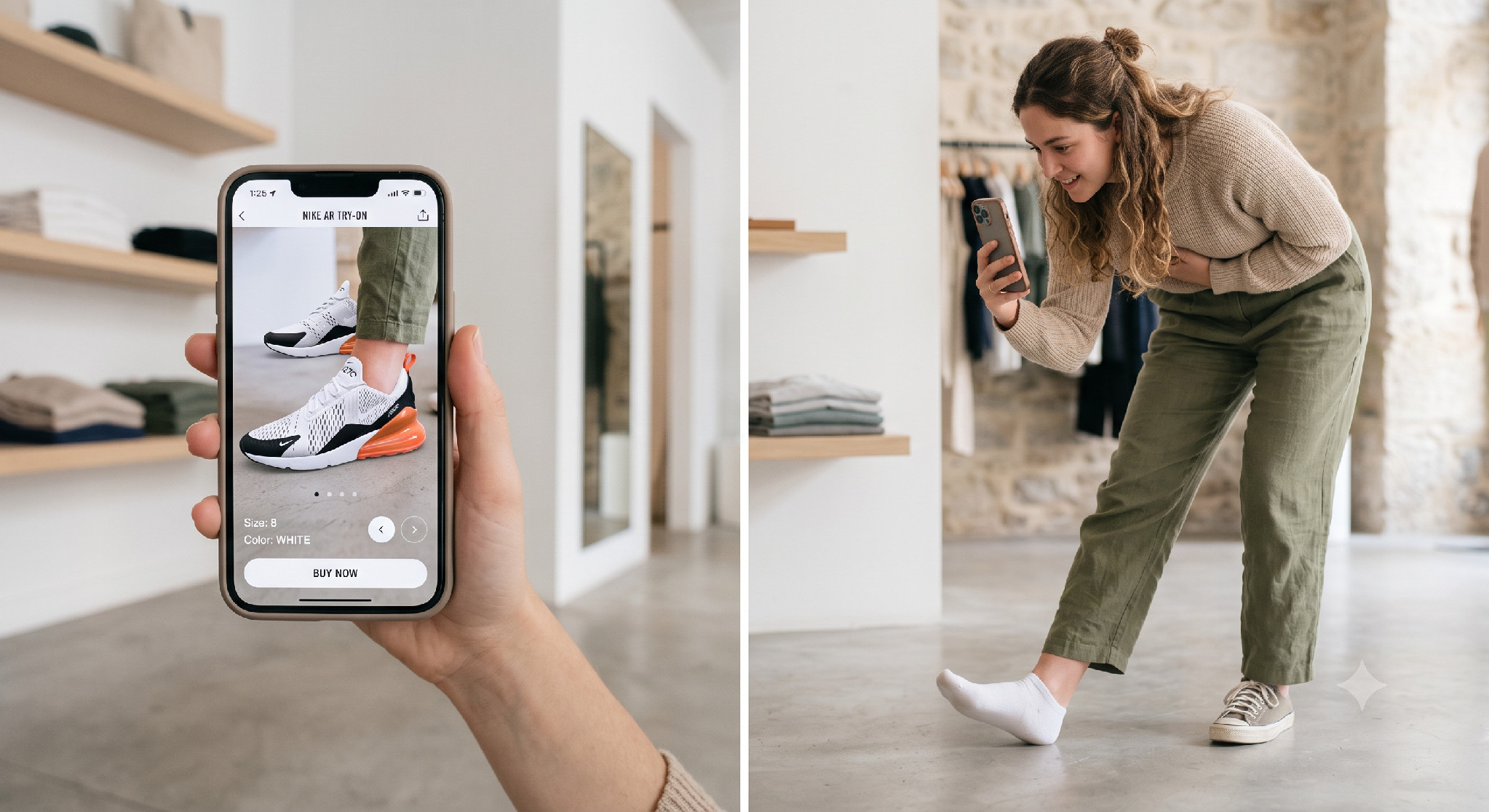
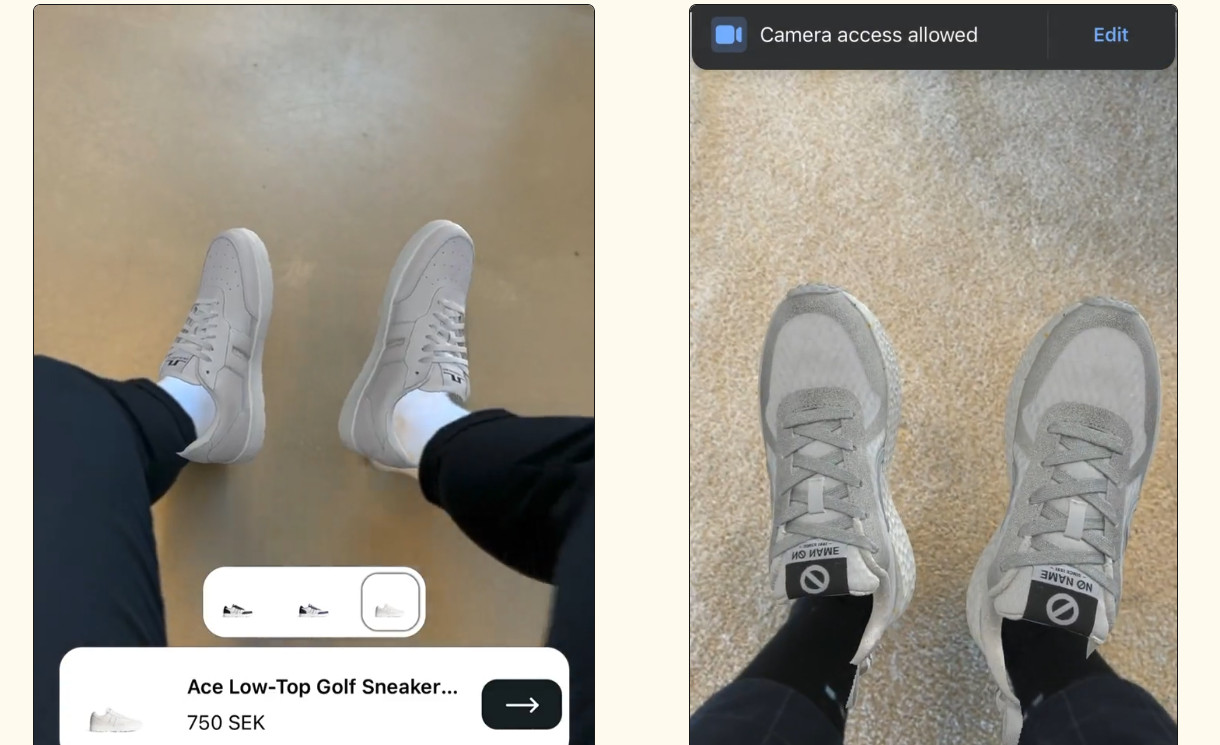
AR shoe try-on places a virtual shoe onto the shopper's real foot in real time through their camera. They point the phone down, and the shoe appears on their foot. Then, they can rotate their ankle and see it from every angle.
Under the hood, a few things happen at once. The app gets camera access. It detects the foot in the frame, tracks that foot as it moves, and anchors the 3D shoe to it. Then it renders the shoe in real time. We break each of these down later.
One note on language. Some teams say AR try-on. Others say virtual try-on. For shoes, they mean the same thing. This guide uses them interchangeably.
What are the types of AR shoe try-on?
Not all try-ons work the same way. Three formats are common:
- Real-time foot tracking: The shoe tracks the foot in real time via the camera. This is the experience most shoppers picture.
- Web versus app: Web try-on runs in the browser, with no download required. App try-on lives inside a native app and can use deeper device features.
- In-store mirror: A fixed screen or kiosk that lets shoppers try on styles in a physical store.
For e-commerce, browser-based real-time try-on is the default. It reaches the most shoppers with the least friction.
Why Are Ecommerce Brands Investing in AR Shoe Try-On?
This is where the growth case lives. AR try-on is not a vanity feature. It moves the metrics that decide a footwear business:
Conversion Lift
Shoppers who can try a shoe on buy more often. In a Harris Poll survey, 60% said they are more likely to buy a product shown in 3D or AR (Harris Poll). Google's ad data shows that 3D formats drive about 3 times the engagement of flat displays (Google). GANT saw a 6.3% lift in conversion across 13 markets after going 3D-first.
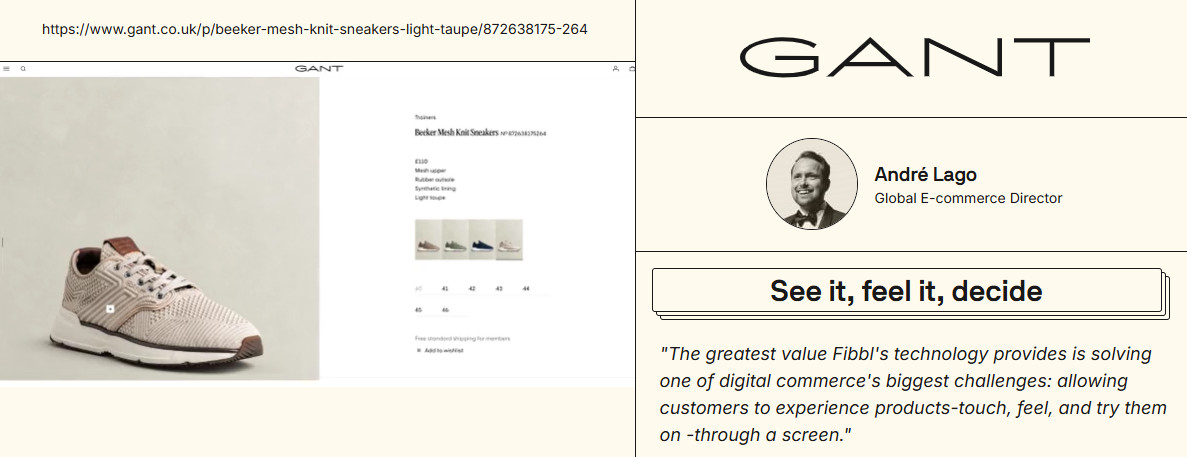
The mechanism is simple. Try-on reduces doubt. A shopper who sees the shoe on their foot stops second-guessing the fit and the look. Less doubt on the product page means more add-to-carts and fewer abandoned sessions.
Reduced Returns
Returns are the tax on e-commerce, and try-on cuts into it. It lets customers see the product in context before making a purchase. ZACH Footwear cut returns by 29.4% after adding 3D and virtual try-on, showing how richer product experiences can translate into fewer mismatched expectations.
Misrepresentation is a major cause of footwear returns, and AR addresses this problem by giving shoppers a more realistic view of the product before checkout.
This matters more in footwear than almost any category. Fit and appearance drive most shoe returns. Every avoided return is margin kept, plus the shipping and restocking costs you never pay. For a high-volume brand, that adds up fast.
Increased Engagement
AR holds attention. Shoppers who interact with it stay longer and explore more. In one virtual try-on case, Nubikk saw time on product pages increase by 80%, and purchases increase by 52%, with a 12% lift in ad click-through. Engagement like that feeds conversion downstream.
Engagement is also a leading signal. Time on page and interaction rate climb before conversion does. If you watch only the final sale, you miss the early proof that AR is working.
How Does AR Shoe Try-On Work Behind the Scenes?
For the engineering team, here is what actually happens between the camera and the render. Each step has to work in real time, on a phone, for the experience to feel right:
Foot detection and tracking
It starts with the camera feed. Computer vision models find the foot in each frame. They estimate its position, angle, and size many times per second. This is pose estimation, and it is the hard part. Feet move fast and get hidden by trouser hems. Good tracking stays locked on through it all.
Most systems use a machine-learning model trained on many feet and angles. Better training and on-device compute make the tracking smoother. On a weak phone, the model has to stay light, or the frame rate drops.
Real-time 3D rendering
The virtual shoe is a 3D model drawn live over the camera feed. On the web, this runs on WebGL, usually through an engine like three.js. The target is a smooth frame rate, ideally 30 frames per second or more. Drop below that, and the shoe stutters, breaking the illusion.
Rendering also shares the phone’s functions with tracking and the camera. All three run at once. That is why efficient assets and clean code matter so much. There is little headroom on a mid-range device.
Lighting and occlusion
Two things make an AR shoe look real. Lighting and occlusion. The render should match the room’s lighting so the shoe does not look pasted on. Occlusion means that parts of the shoe are correctly hidden behind the ankle or trouser leg. Without it, the shoe floats over everything.
Occlusion is the harder of the two. It needs a rough sense of depth in the scene. Some systems estimate that from the camera. Others use depth sensors on newer phones. Getting it right is what makes a try-on feel believable.
Positioning and scale accuracy
The shoe has to sit on the foot at the right size and angle. This is anchoring. If the scale is off, the try-on misleads the shopper, and returns go up, not down. An accurate scale requires a true-to-life 3D asset and solid tracking to work together.
Scale is not just cosmetic. A try-on that looks half a size off teaches the shopper the wrong thing. The point of a try-on is confidence, and the wrong scale destroys it.
Asset streaming and loading
The 3D asset has to feel as fast as any other part of the shopping experience, especially on a phone over mobile data. Lightweight formats such as glTF for the web and USDZ for iOS AR Quick Look keep files manageable. While compression tools like Draco reduce geometry, modern texture formats preserve material detail at smaller sizes.
Large models can also use a level-of-detail approach, loading a lighter version first and refining it as the shopper interacts. A CDN delivers the assets from a nearby location, helping AR and 3D experiences start in seconds rather than ten.
What to Consider Before You Implement AR Shoe Try-On
Before you build or buy, work through these decisions. They shape cost, reach, and quality:
WebAR or a native app?
Most footwear try-on runs on WebAR, and for good reason. No app download means far more shoppers actually use it. A native app can offer more advanced features, but it only reaches people who install it. Here is the trade-off:
Factor |
WebAR |
Native app |
Access |
No download, runs in browser |
Requires app install |
Reach |
Any modern phone browser |
Only your app users |
Tracking |
Good, improving with WebXR |
Best, via ARKit and ARCore |
Build cost |
Lower, one web build |
Higher, per platform |
Best for |
Broad reach on product pages |
Power features for loyal users |
Device and browser compatibility
AR support varies by device. iOS uses ARKit, Android uses ARCore, and the web is moving toward WebXR. Not every browser supports every feature. Plan a fallback, like a 3D viewer, for devices that cannot run full AR. Test on real phones, not just simulators.
Coverage is wide but uneven. iOS handles AR Quick Look well. Android varies by hardware. A small share of older devices will not run AR at all, and a clean fallback keeps those shoppers in the experience rather than hitting a dead end.
3D asset requirements
Your AR is only as good as the asset behind it. It needs accurate geometry, true materials, and correct scale. Web-ready formats and optimization keep it fast. Cut corners here, and it shows as a fake-looking or wrong-sized shoe. See how the assets are built.
Performance and loading speed
Set a performance budget before you build. Cap the asset size, use a CDN, and lazy-load the try-on until the shopper taps it. Every extra second of load costs you users on the product page.
Treat load time as a conversion metric, not a technical detail. The pattern across the web is consistent. Slower pages lose shoppers. An AR feature that drags the page down can cost more than it earns.
Privacy and camera permissions
AR needs camera access, which shoppers must approve. The best setups process the video on the device and store nothing. Say that clearly at the permission prompt. Privacy rules like GDPR apply, and trust affects whether people tap the button at all.
How Does AR Shoe Try-On Fit Your Stack?
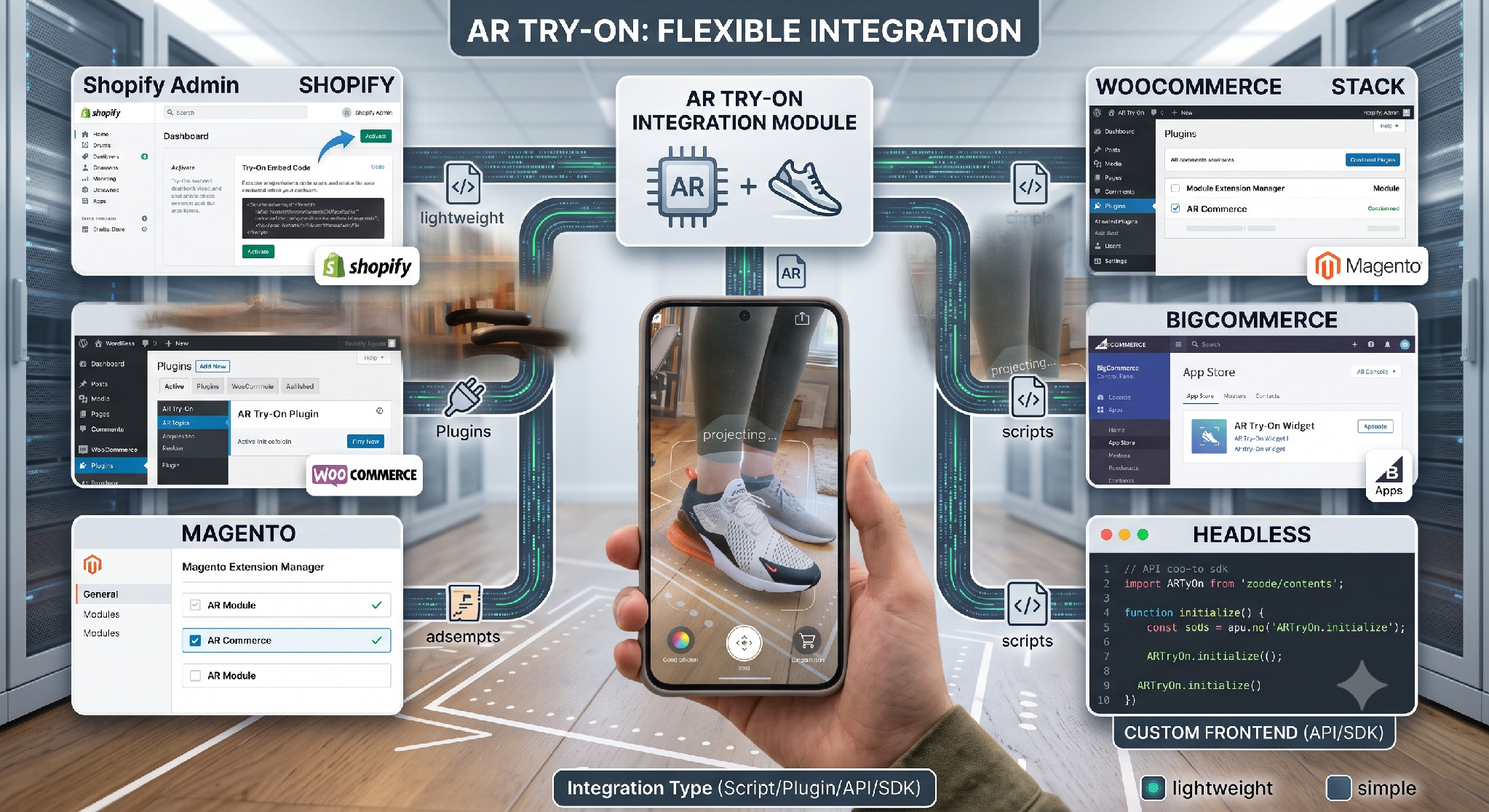
Integration is usually simpler than teams expect. Most vendors ship a lightweight script or app for the major platforms:
- Shopify: An app or embed drops the try-on onto product pages.
- WooCommerce: A plugin or snippet adds it to WordPress stores.
- Magento: An extension handles the integration.
- BigCommerce: An app or widget covers it.
- Headless: An API, SDK, or web component embeds try-on into a custom front end.
For a headless stack, ask the vendor about their SDK and web component. That is what keeps the try-on flexible without locking you in.
Whatever the platform, keep the try-on script async and lazy-loaded. It should never block the product page from rendering. The try-on can wait until the shopper asks for it.
AR Shoe Try-On Campaign Considerations for Growth Teams
The tech is only half the job. A rollout still needs a plan. Here is how growth teams get value from AR try-on:
Which products should get AR first?
Do not roll out AR to the whole catalog at once. Start where it pays back fastest. Hero products, bestsellers, and high-return styles. Prove it there, then expand.
Where should AR sit on the page?
Put the try-on where shoppers decide. On the product page, high up, with a clear button. A hidden AR feature goes unused. Make it obvious.
How do you promote it?
Shoppers will not use what they do not notice. Add a try-on badge on listing pages. Mention it in email and ads. Show it in social clips. Treat it as a feature, not a hidden setting.
How do you measure success?
Track the metrics that matter. AR engagement rate, conversion for users versus non-users, and return rate by style. Tie AR to revenue, or it stays a novelty in the eyes of finance.
Set up a clean test. Compare shoppers who used AR against those who did not on the same products. Control for traffic source where you can. That is how you prove the lift is real, not just correlation.
What are the Common AR Shoe Try-On Implementation Challenges?
Most AR rollouts hit the same problems. Each has a clear fix:
- Poor 3D asset quality: Start from accurate capture, not rough models.
- Slow loading: Fix it with compression, reduced detail levels, and a CDN.
- Inaccurate foot tracking: Use a proven engine and guide shoppers toward good lighting.
- Low user adoption: Fix it with clear placement and real promotion.
- Inconsistent cross-device performance: Test on low- and high-end phones, not just your own
Notice the pattern. Most of these trace back to the asset and the testing. Get both right early, and the rest gets easier.
Questions to Ask an AR Shoe Try-On Vendor
Before you sign, put every vendor through the same questions. The answers separate a real partner from a demo:
- How accurate is your foot tracking, and on which devices?
- Does it run in the browser without downloading an app?
- What 3D asset formats and quality do you deliver?
- How long does the try-on take to load on a mid-range phone?
- How do you handle camera data and privacy?
- Does it integrate with our platform or headless stack?
- Can you show conversion or return results for footwear brands?
Best Practices for a Successful AR Shoe Try-On Rollout
A good rollout is steady, not rushed. These habits keep it on track:
- Start with high-traffic products, where the impact shows fastest.
- Test across many devices and browsers before launch.
- Optimize every asset for speed before it goes live.
- Track performance continuously, not just at launch.
- Iterate based on how customers actually use it.
AR try-on is not a set-and-forget feature. The brands that win keep tuning it after launch. See how AI and 3D are reshaping footwear for the bigger picture.
Conclusion
AR shoe try-on has moved from a novelty to a serious e-commerce tool. It lifts conversion, cuts returns, and keeps shoppers engaged. But only when it is built well.
For engineering, that means accurate assets, solid tracking, and fast loading. For growth, it means smart placement, real promotion, and honest measurement. The two sides depend on each other.
Every strong try-on starts with one thing. An accurate 3D asset. Fibbl builds those for footwear brands and then delivers browser-based try-on across 200+ platforms, with no app download required. Accurate input, reliable output.
The best way to judge it is on your own shoes. Get a free product scan or book a demo to see the quality and plan your rollout.