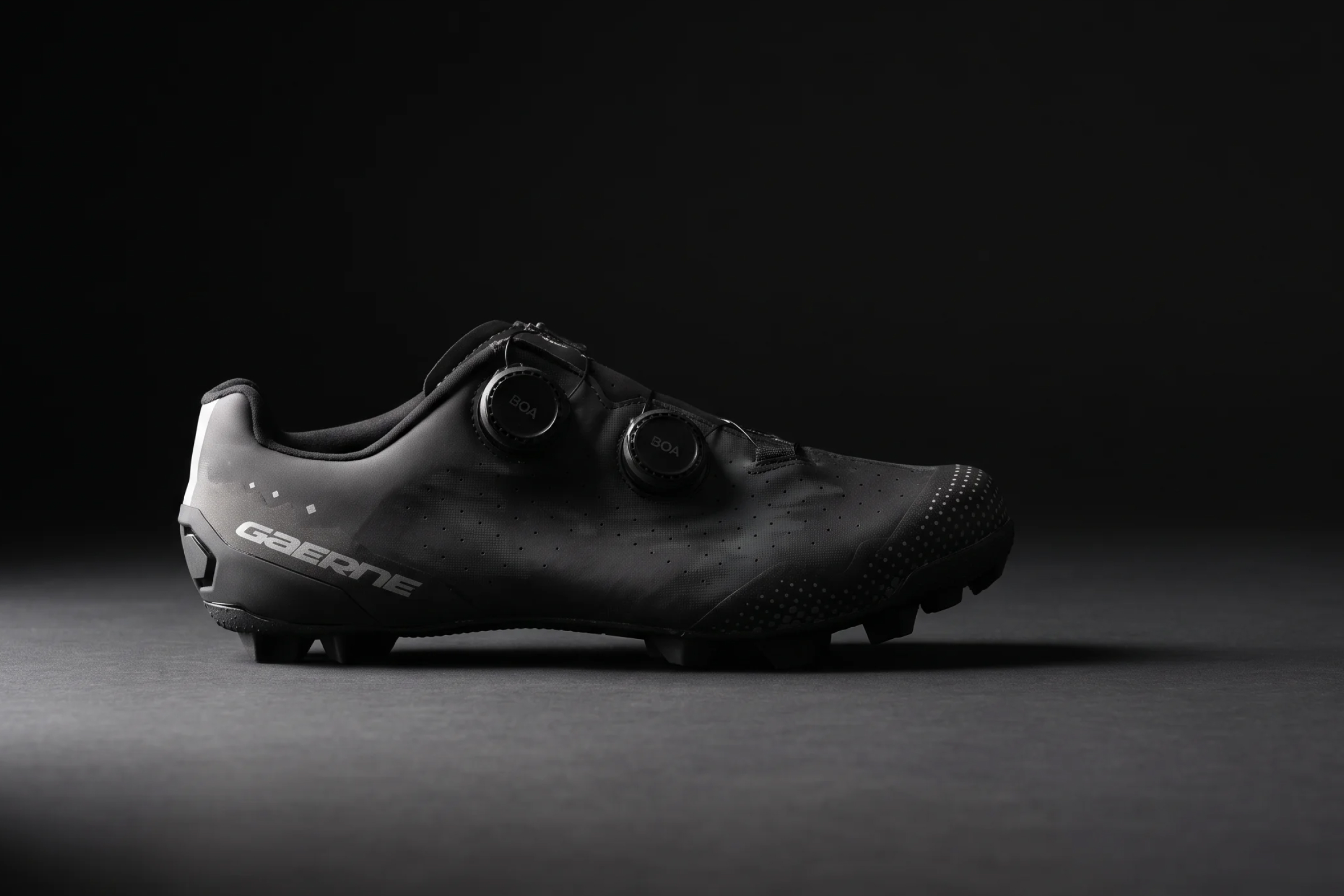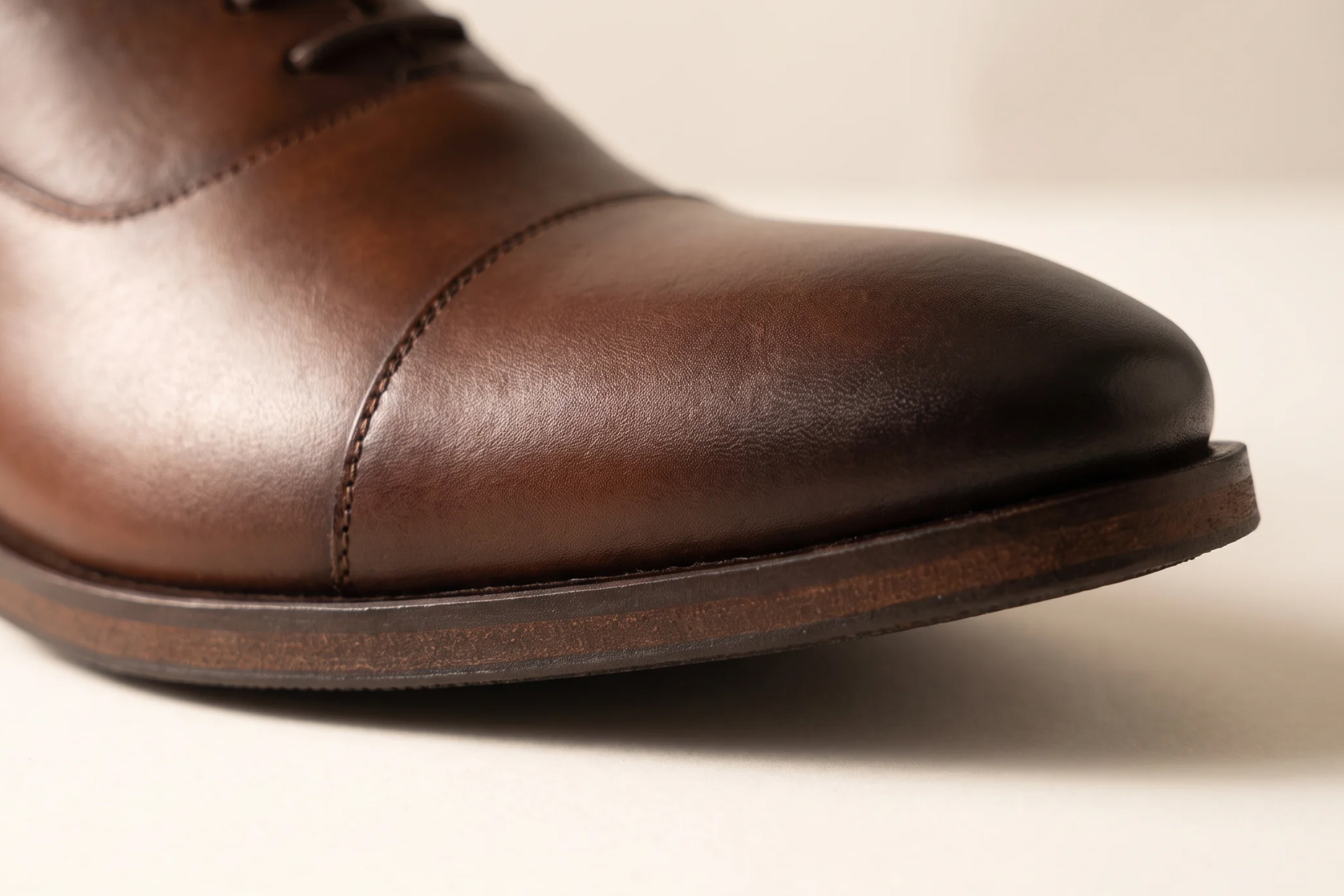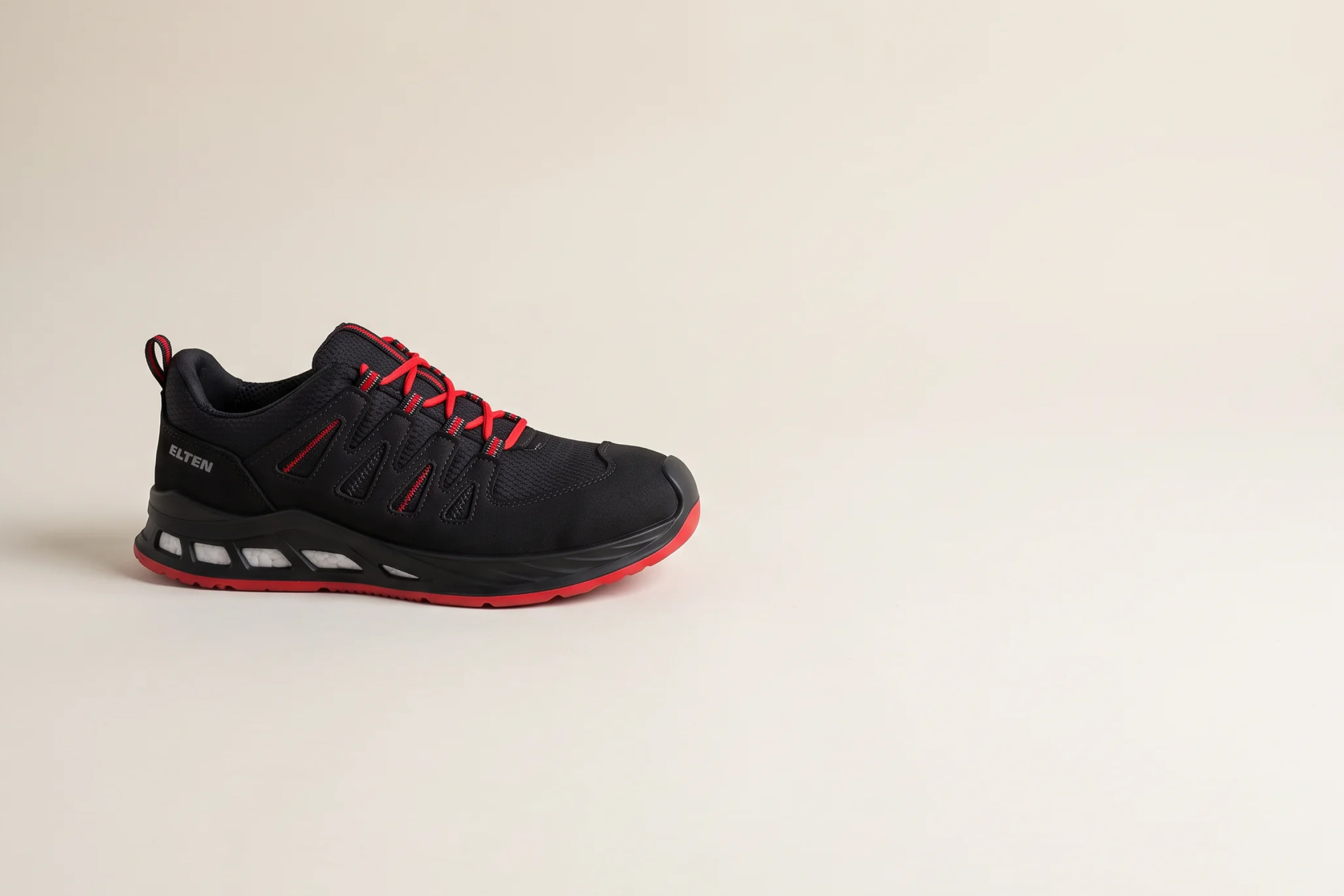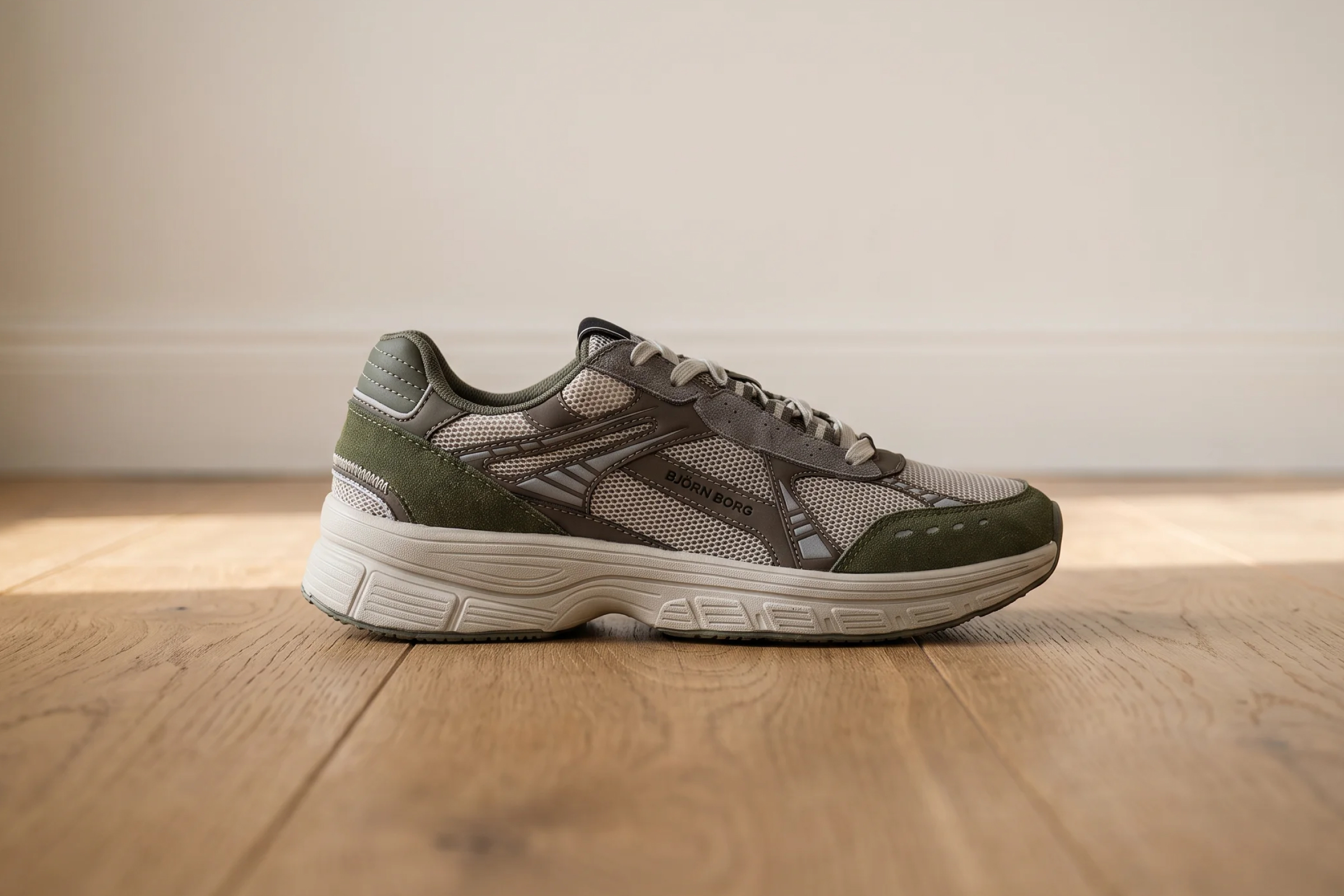
Quick Summary
AI product photography eliminates many of the delays associated with traditional photoshoots, including studio scheduling, sample dependence, and repeated reshoots. Brands use it as a scalable workflow instead of a one-time studio task. For material-complex products like footwear, the most reliable workflows start with 3D assets rather than text prompts. This allows a single asset to generate imagery across channels and campaigns.
The Growing Gap Between Content Demand and Photography Capacity
65% of online shoppers say images influence what they buy (source), making product imagery one of the highest-leverage investments in e-commerce. Yet most content teams still rely on a production model that hasn’t changed in decades.
New styles launch constantly, SKU counts keep growing, and every product needs imagery for product pages, paid social, marketplaces, catalogs, and seasonal campaigns in multiple formats. Meanwhile, studio scheduling takes weeks, samples arrive late, and every design change forces teams to restart the process.
AI product photography helps brands close that gap. More than a background-swap tool, it enables scalable production of packshots, lifestyle imagery, and campaign visuals. This guide explains how AI photography works and how e-commerce brands are putting it into practice.
Why Listen To Us?
Fibbl is a 3D commerce platform built exclusively for footwear and bag brands. We work with brands including GANT, ECCO, LØCI, Samsonite, and TUMI. This gives us a front-row seat to what actually works as they scale product content at the enterprise level. The strategies and processes in this guide are drawn directly from that experience.
What AI Product Photography Actually Means
AI product photography is the use of artificial intelligence to generate, enhance, or automate product imagery. It removes the dependency on physical studio setups, manual post-production, and fixed deliverable sets. While the output with AI product photography looks identical to traditional photography, the production process is fundamentally different.
For footwear specifically, where material texture, sole geometry, and surface detail directly influence purchase decisions, approximations don't convert. What e-commerce brands actually need is imagery that accurately represents the real product, generated at scale. That happens through five distinct approaches:
- AI-generated Backgrounds: Replaces studio setups with generated environments, from clean white to seasonal lifestyle scenes.
- AI-enhanced Imagery: Automated retouching, color correction, and quality normalization across large image batches.
- AI-generated Lifestyle Scene: Places a product into a generated real-world context without location shoots or models.
- 3D-powered AI Imagery: Generates photorealistic images from a scanned 3D asset across any angle, background, and format.
- Automated Packshot Generation: Produces consistent, multi-angle white-background images at catalog scale.
Why AI Is a Legit Alternative for E-commerce Product Photography
The operational case for AI product photography comes down to a handful of specific constraints that traditional photography can’t solve at scale:
Production Bottlenecks
Traditional e-commerce photography becomes difficult to scale once catalogs grow. Every new product launch, packaging update, campaign variation, or colorway creates another production cycle involving studio bookings, product shipping, photographers, models, stylists, editors, and approvals.
Pricing scales quickly, too. Basic e-commerce product photography can cost anywhere from roughly $50–$350 per image (Source). Whereas full campaign shoots with models, styling, and sets can cost hundreds or even thousands of dollars per SKU, depending on complexity.
Read Product Photography Cost For Footwear Brands for a complete breakdown.
Studio Scheduling
One of the biggest problems with traditional photography is scheduling. Studios need to be booked weeks in advance, and products must arrive on time. Creative teams, photographers, and editors all need to align around the same production window. A single delay in samples, approvals, or shipping can push entire campaigns back.
AI workflows remove much of that dependency. Instead of waiting for another photoshoot, teams generate new visuals from existing product assets. This makes content production significantly faster for brands running continuous launches and ad campaigns.
Reshoots
Incorrect lighting, missing angles, packaging changes, updated branding, or a newly added colorway can all require another full production cycle.
AI workflows reduce that problem by enabling teams to update existing digital assets rather than rebuild a shoot from scratch. If a campaign needs a different background, crop ratio, or seasonal variation, brands generate it digitally rather than organizing another production day.
Seasonal Launches
Brands constantly create visuals for summer collections, winter launches, holiday campaigns, social ads, marketplace promotions, and limited drops. Traditional workflows often struggle because every campaign requires fresh production work.
AI allows teams to generate seasonal variations much faster from existing assets. Instead of reshooting products for every campaign theme, brands can digitally create multiple environments, lighting setups, and promotional styles.
Color Consistency
Maintaining color consistency across e-commerce channels is harder than most brands expect. Products often look different between:
- Marketplace listings.
- Paid ads.
- Social media creatives.
- Email campaigns.
- Product detail pages.
Lighting conditions, camera settings, editing differences, and reshoots can all slightly change how products appear. That inconsistency affects shopper trust, especially in categories like fashion, cosmetics, furniture, and footwear, where buyers pay close attention to colors and textures.
This is why many AI e-commerce workflows now rely on product-preserving systems and 3D-based assets rather than fully generated text prompts.
Content Localization
Global ecommerce brands need localized content for different markets, languages, regions, and platforms. Traditionally, that often meant creating entirely separate campaigns for different audiences.
AI tools make localization easier because teams can adapt visuals digitally instead of rebuilding campaigns from scratch. Brands can generate:
- Region-specific backgrounds.
- Localized campaign themes.
- Market-specific creatives.
- Different aspect ratios for platforms.
- Seasonal variations for different countries.
- Platform-specific image formats.
This allows e-commerce teams to scale content production globally without multiplying production complexity.
The Different Ways You Can Use AI in Product Photography
For e-commerce brands, the way you can use AI in product photography breaks down into three practical applications:
AI Packshot Generation
A packshot is the baseline deliverable for any e-commerce product page. It includes a clean, consistent image of the product showing accurate color, material, and construction detail from standardized angles.
Traditionally, this requires a full studio setup for every SKU, every colorway, and every season. AI packshot generation automates this entirely. Once a 3D asset exists, the system renders images at any angle and resolution. The image is also formatted for any channel (marketplace listings, retailer portals, B2B catalogs, and paid ads), without a single studio booking.
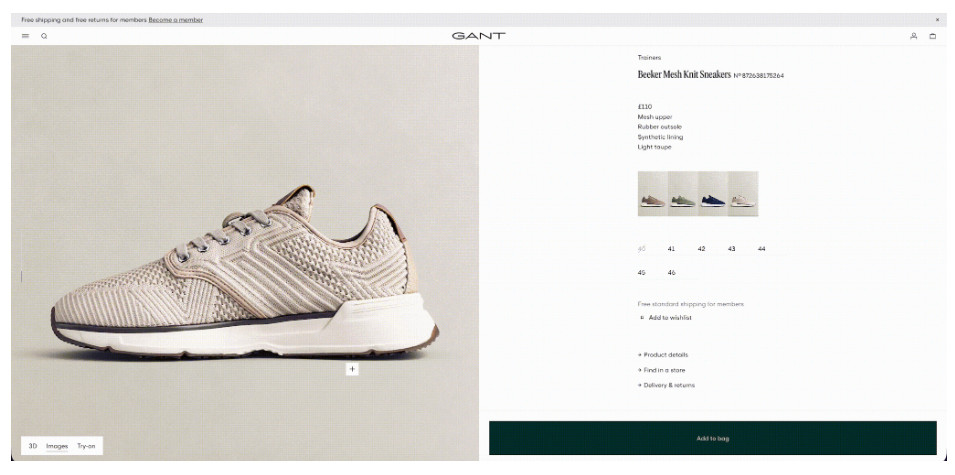
This output meets the same technical specifications that traditional packshots are required to hit, including background standards and color accuracy requirements. Here's what this looks like on a live product page, multiple angles of the same shoe, all generated from a single 3D asset:
When it works best:
- Large catalogs with multiple SKUs and colorways that need consistent imagery across all variants.
- Brands launching new collections where physical samples aren't yet available.
- Products that need imagery in multiple formats for different channels simultaneously.
- Seasonal refreshes where existing imagery needs to be updated without reshooting.
When it falls short:
- When the source 3D asset is built from a low-quality scan, the output quality is only as good as the input. Inaccurate geometry or flat material capture will also show in the final image.
AI Lifestyle Imagery
Lifestyle imagery places the product in a real-world context. For example, a shoe worn on a city street, a trainer styled against an outdoor landscape, or a boot on an urban staircase. It consistently outperforms packshots on social and paid channels because it shows the product in use rather than in isolation.
The traditional approach requires location scouting, model casting, styling, and a full production crew for every scene. Whereas AI lifestyle imagery generates the same output from a 3D product asset, placing it accurately into a generated environment without any of that production infrastructure.
Here's what that looks like in practice: six different scenes, and different contexts, all generated from 3D assets without a single location shoot:
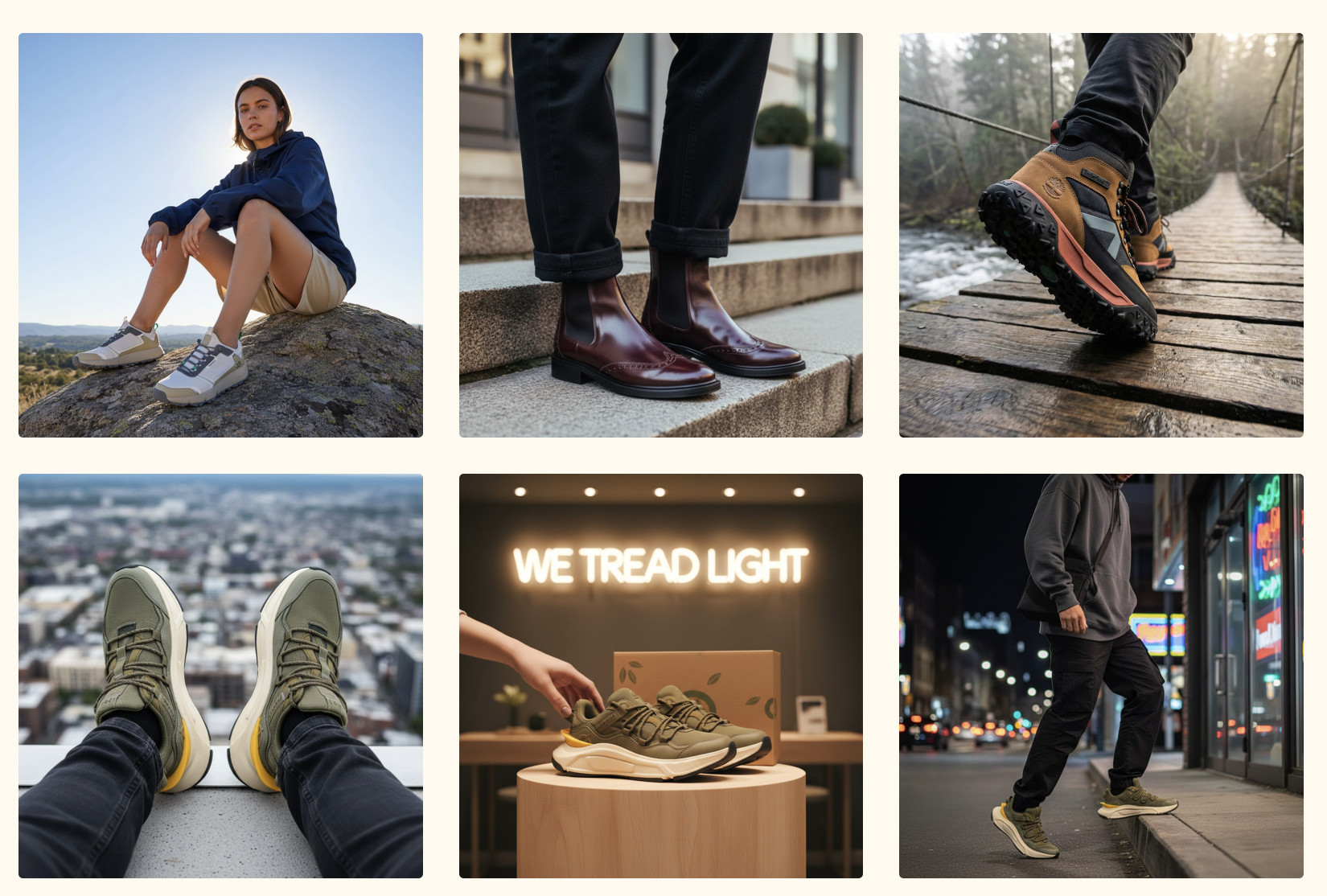
For lifestyle imagery to work at e-commerce quality, the product needs to sit in the generated scene with correct material rendering, accurate proportions, and consistent lighting. A 3D-asset-powered approach delivers this. But a prompt-only approximation does not. The product will look close, but not accurate enough for a brand to publish confidently.
When it works best:
- Social and paid ad content where context and aspiration drive engagement.
- Seasonal campaigns that need multiple scene variations from the same product.
- Market-specific content where different environments resonate with different audiences.
- New collection launches where traditional shoots haven't been scheduled yet.
When it falls short:
- When a brand needs a specific real model or identifiable face in the imagery.
3D-powered AI Product Photography
Instead of starting from a photograph or a text prompt, 3D-powered AI product photography starts from a physically scanned digital model of the actual product.
That single asset powers everything, like packshots, lifestyle renders, and the interactive 3D viewer. The 3D lets buyers rotate the shoe through every angle directly on the product page (sole, heel, upper, and toe box) without clicking through to another image.
Here's what the 3D viewer looks like on a live product page:
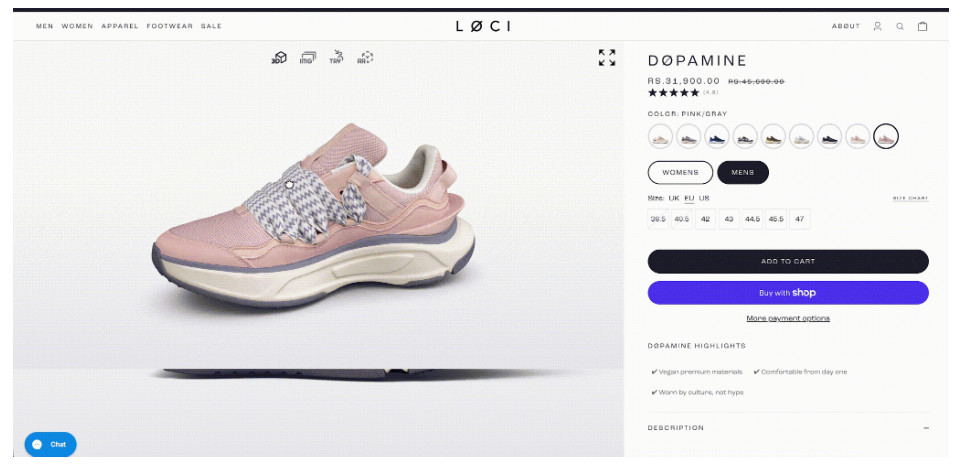
For the footwear industry, buyers want to see how the sole sits, how the heel is constructed, and how materials look up close. This closes the gap between browsing online and handling the product in-store.
When it works best:
- Premium footwear where material detail and construction quality drive purchase decisions.
- Products with complex geometry that flat photography doesn't communicate well.
- Brands that need one asset to power multiple output types across e-commerce, marketing, B2B, and AR.
When it falls short:
- Requires an upfront investment in 3D scanning for each product and colorway, and can’t be applied to an existing image library without building the 3D assets first
How Footwear and Bag Brands Can Benefit from AI Photography In Particular
The benefits of AI product photography apply broadly to e-commerce, but footwear and bag brands have more to gain than most. Here's how:
Material Complexity
Footwear uses some of the most challenging materials to reproduce accurately. Patent leather, semi-transparent mesh, rubber outsoles, and metallic hardware all behave differently under different lighting conditions.
Generic AI tools approximate these materials based on training data. The output looks close, but rarely accurate enough for a brand to publish confidently. While purpose-built 3D scanning pipelines use material-specific capture settings for each product type, which is what makes the output hold up to e-commerce quality standards.
SKU Volume Per Season
A mid-size footwear brand launching two collections per year can easily produce 100 to 300 new SKUs per season. Each SKU needs imagery across multiple angles, colorways, and channel formats.
This volume is simply incompatible with traditional photography timelines. AI makes it possible to consistently cover an entire catalog, including SKUs that would previously have been deprioritized due to cost or time constraints.
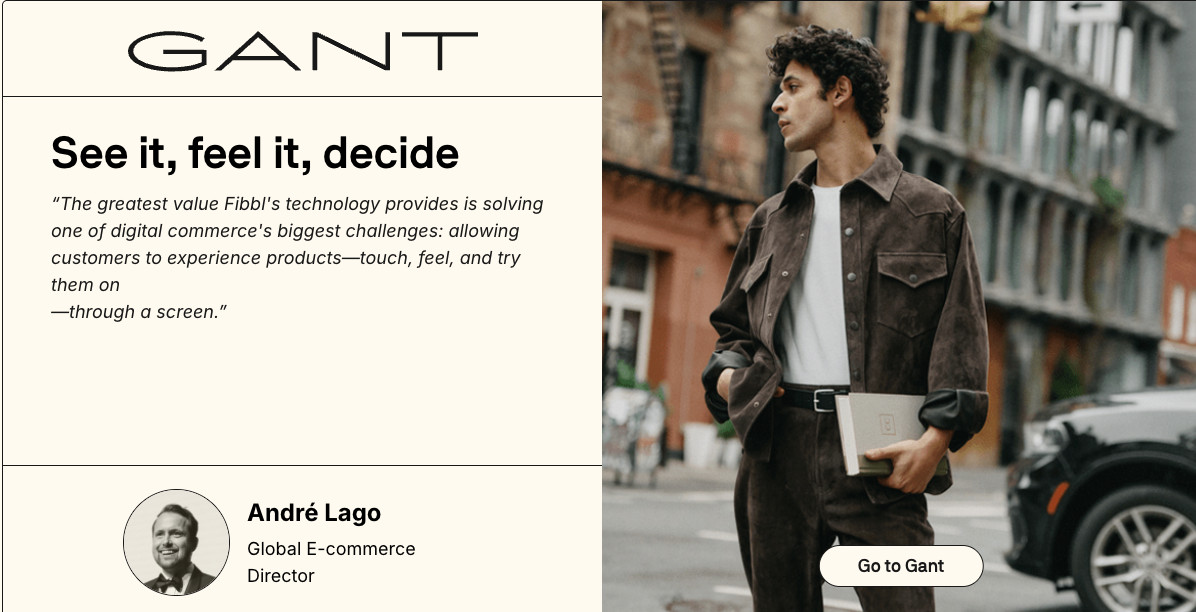
GANT, which produces one of the largest footwear catalogs in Europe, reduced both production time and cost by 50% after switching to Fibbl's 3D-powered workflow. It achieved a 6.3% conversion lift on product pages with 3D imagery.
Channel Diversity
Footwear brands operate across more channels than most product categories, like e-commerce pages, marketplace listings, paid social, B2B showrooms, retailer portals, and AR. Each has different image specifications and visual requirements.
LØCI, a sustainable footwear brand, runs the full stack from a single 3D asset. For instance, packshots, lifestyle imagery, an interactive 3D viewer, virtual try-on, and AR, all from one source file per product. As a result, channel expansion no longer requires additional production work.
Common Mistakes Brands Make with AI Product Photography
While there are benefits to AI product imagery, brands might face some frequent issues with itt, such as the following:
- Using Prompt-Only AI for Complex Products: Prompt-based AI struggles with products that require precise textures, stitching, proportions, reflections, and branding details. This becomes a major issue for categories like footwear, fashion, jewelry, cosmetics, and furniture, where small inaccuracies immediately reduce product credibility.
- Generating “Similar” Products Instead of the Real Product: Many AI workflows slightly alter the product between outputs, rather than preserving the exact asset. In e-commerce, consistency matters because shoppers compare the same product across ads, marketplaces, PDPs, and social content before making a purchase.
- Treating AI Outputs as Final Assets: AI-generated visuals often contain subtle production issues like warped logos, unrealistic materials, distorted seams, or incorrect reflections. These problems become much more visible on high-resolution product pages and zoom-enabled e-commerce galleries.
- Using Lifestyle AI Without Conversion Context: Many AI-generated lifestyle scenes prioritize aesthetics over merchandising. Products become harder to see, environments become distracting, and visuals no longer match the actual shopper demographic or buying intent.
- Ignoring Color Consistency: Prompt-only AI often introduces slight color shifts between campaigns, ads, marketplaces, and PDPs. For fashion, beauty, footwear, and furniture brands, inconsistent colors directly affect shopper trust and return rates.
- Overusing Generic AI Visual Styles: Many e-commerce AI campaigns already look visually identical because brands rely on the same prompts and environments. As adoption grows, differentiation will depend more on brand direction and product accuracy than AI generation itself.
How the AI Product Photography Process Works
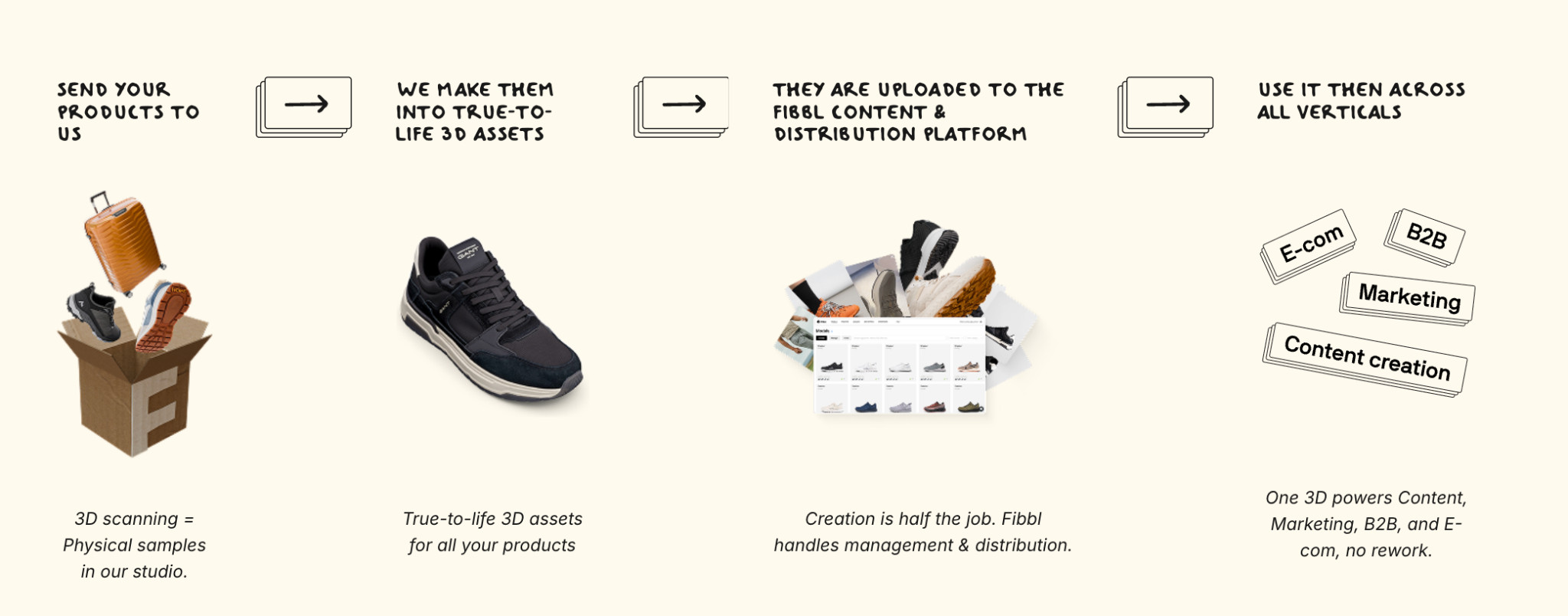
Most brands approach AI product photography as a tool decision, like which app to use, and which prompt to write. The brands that get consistent results at scale treat it as a workflow decision. Here is how that workflow runs from start to finish:
Step 1: Identify your Visual Content Gap
Before choosing any tool or approach, map where your current imagery falls short.
- Which products are missing angles?
- Which channels have outdated or inconsistent imagery?
- Which colorways have never been photographed properly?
This audit determines the scope of what needs to be built and helps prioritize where to start.
Step 2: Choose your Approach
Not every AI product photography approach suits every brand. Prompt-based tools work for simple products where approximate accuracy is acceptable.
3D-asset-powered AI is the right choice for brands that need material accuracy, catalog-scale consistency, and the ability to generate multiple output types from the same asset. For footwear and bags, the 3D-powered route is almost always the right one.
Step 3: Onboarding and Brand Setup
Before production starts, establish the visual standards the output needs to meet, like background specifications, approved angles, lighting preferences, and channel format requirements. This upfront work prevents inconsistency across the catalog and avoids rework later.
Step 4: Product Capture
Physical samples are sent to the scanning studio. Each product is scanned individually, including every colorway, using hardware optimized for the specific product type and its materials. For brands with large volumes, on-site scanning can be deployed directly at your location.
Step 5: 3D Asset Creation
The scan data is processed into a true-to-life 3D asset that accurately captures geometry, surface texture, and material properties. This is the foundation from which everything else is built. The quality of the final imagery is only as good as the asset created at this stage.
Step 6: Rendering and AI Image Generation
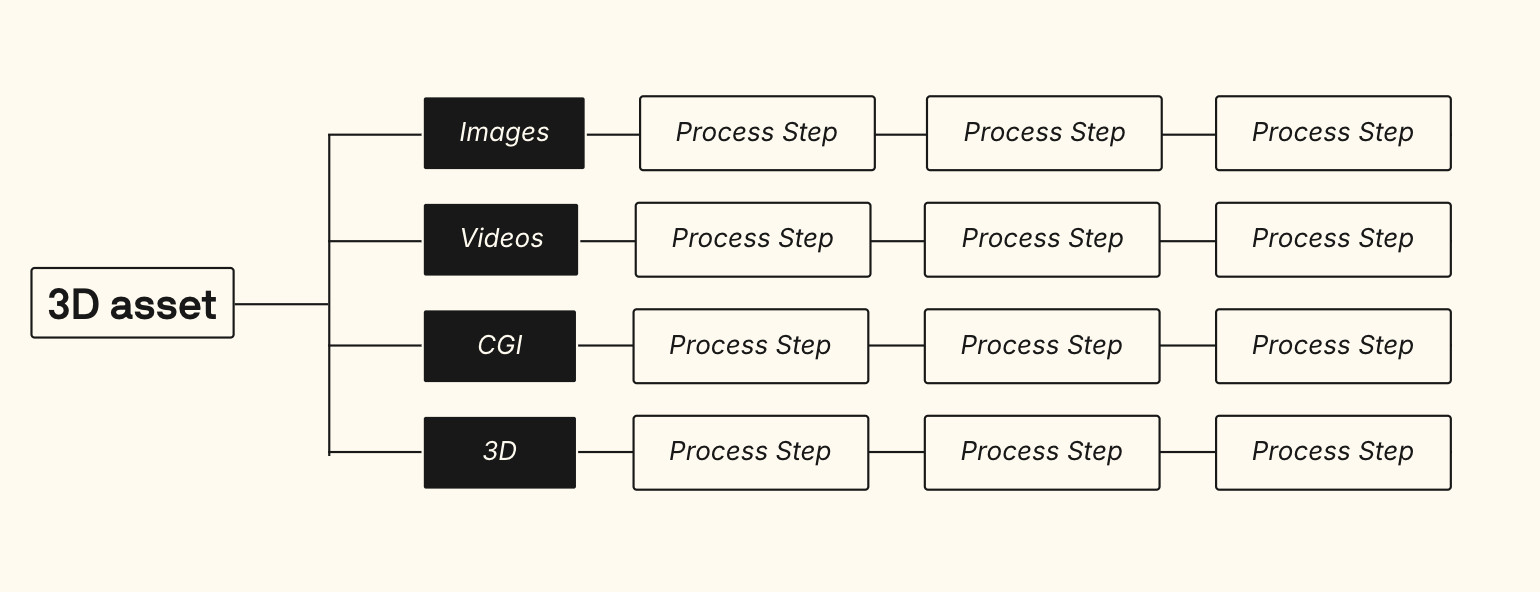
Once the 3D asset exists, imagery is generated on demand, including packshots at any angle, lifestyle renders in any environment, and 360° spins. It also enables dynamic ad formats and AR experiences. The old way required a separate production process for each output type. The new way generates all of them from the same source file.
Step 7: Review and Approval
Generated imagery undergoes a quality review before publication. This step checks for rendering artifacts, color accuracy against brand standards, and compliance with channel specifications. It is not optional. Even high-quality AI output benefits from a human review before it goes live.
Step 8: Export and Distribution
Assets are uploaded to the AI platform and distributed across every channel from a single integration point, including e-commerce pages, marketing campaigns, B2B portals, and AR experiences. One 3D asset powers all of them with no rework required per channel.
Step 9: Measure and Iterate
Track output volume, time-to-publish, and downstream performance, conversion rate on pages with new imagery, return rates, and time spent on product pages.
This data informs which parts of the catalog to prioritize next and whether the workflow is delivering the production efficiency and commercial results it should.
See What Your Products Look Like in 3D
The gap between content demand and production capacity only widens over time. AI product photography closes it. But this is only when it's built on accurate 3D assets rather than approximations, and runs as a repeatable workflow rather than a one-off project.
Fibbl, a 3D commerce platform made for footwear and bag brands, can turn physical products into detailed 3D models. The models can further be used to create packshots, lifestyle images, 360° views, AR content, and campaign visuals across all channels from a single asset.
As everything is based on real 3D scans instead of text prompts, brands keep full control over how products look, including materials, shape, and fine details like stitching and soles.
If you want to see what a 3D scan looks like on your own catalog before committing to anything, Fibbl offers a free product scan.